

 Platform Overview

 Integration Hub

 Agent One™

 Agent One Teams™

 Customer Data Management

 Personalization

 Journey Orchestration

 Reporting & Data

 Behavioral Analytics

 Web
Web

 Email
Email

 Site Search

 Conversational CX

 WhatsApp

 Web Push

 InStory

 App
App

 SMS & RCS

 Join the $0 Migration Movement™

 The Insider One Difference

 Compare Vendors

 Switch to Insider One

 Success Story

 Retail & Ecommerce

 Financial Services

 Travel & Hospitality

 Beauty & Cosmetics

 Automotive

 Telecommunications

 Total Economic Impact™ Study

 Blog
Blog

 E-Books & Guides

 Glossary
What a CMS Means in Marketing (And Why It’s More Than a Website Builder)

Updated on 5 Aug 2026
8 min.
Table of Contents
- Summary
- CMS meaning in marketing: Beyond the website builder myth
- How a CMS actually works: The four-step content flow
- Traditional vs. headless vs. hybrid CMS for marketing teams
- Where CMS meets personalization and customer engagement
- Choosing a CMS setup that scales with campaign complexity
- Conclusion
- FAQs
Most Popular


Summary
- A content management system (CMS) creates, stores, manages, and delivers content across channels, not just your website
- Traditional CMS platforms bundle content and template together, while headless CMS separates the two so content can travel to app, email, and ads
- Hybrid CMS setups keep a visual editor for marketers while giving developers API access for other channels
- Personalization gets more useful once CMS content connects to unified customer profiles, audience segmentation, and a customer data platform (CDP) or engagement layer, with Insider One acting as the activation, orchestration, and decisioning layer across channels
- Scaling a CMS setup comes down to integration depth, content reuse, localization support, and how fast a campaign can go live without a developer ticket
A content management system (CMS) in marketing is the engine that creates, stores, and delivers content to every channel a campaign touches, not a tool reserved for the website team.
That distinction matters more than it sounds, because most marketers still equate CMS with a page builder, when the real question is whether content can travel to email, app, push, and web experiences without a rebuild each time.
This article breaks down the CMS marketing meaning marketers actually need: how the system works mechanically, what separates traditional, headless, and hybrid architectures, and where content stops being static and starts feeding personalization.
It’s written for marketing managers, digital marketers, and martech decision-makers who already run a CMS alongside Insider One’s AI-powered Growth Management Platform, or who are evaluating how content, data, and activation should work together now.
By the end, you’ll know which architecture fits your campaign complexity and what to ask before signing another multi-year content contract.
CMS meaning in marketing: Beyond the website builder myth
CMS stands for content management system, and in marketing it covers three connected jobs from creating content, storing it in a structured way, to delivering it to whatever channel a campaign needs, whether that’s a web page, an email template, or a product screen inside an app.
The architecture behind those three jobs decides how far your content can travel. Marketers conflate CMS with a website tool because that’s usually where they first encounter one.
Early CMS platforms were built to publish pages, so the interface trained a generation of marketing teams to think in terms of pages and templates instead of reusable content.
That assumption breaks down the moment a campaign needs the same asset in an app screen, a personalized email, or a mobile message, and the CMS has no clean way to hand content off outside its own templates.
Common signs the website-only assumption is already costing you:
- Content teams re-enter the same copy and images into separate tools for email, app, and web campaigns
- A campaign launch waits on developers because content is locked to page templates
- Personalization stays limited to the website because content can’t travel to other engagement channels
How a CMS actually works: The four-step content flow
Every CMS, regardless of architecture, runs the same four-step loop: create, store, manage, and deliver. Understanding which team touches each step is more useful than memorizing the technical definition, because that’s where the friction usually starts.
Content creation happens in an editor, where marketers write copy, upload images, and assemble layouts.
Storage is where the CMS keeps that content as structured data, tagged by type, language, or campaign, so it can be found and reused later instead of sitting in a disconnected folder.
Management covers versioning, approvals, and scheduling, the workflow layer marketers rely on for daily campaign operations.
Delivery decides where content actually lands, and it’s the step where architecture choices start to matter.
Marketing teams live inside creation and management every day, while developers and information technology teams typically own delivery, building the templates and APIs that decide where content renders. That handoff point is exactly where traditional and headless CMS platforms diverge.
Traditional vs. headless vs. hybrid CMS for marketing teams
The three common CMS architectures, traditional, headless, and hybrid, differ mainly in how tightly content is tied to its presentation layer, and that difference determines how fast a marketing team can launch across channels.
Traditional CMS: built for the website, not the channel mix
Traditional CMS platforms bundle content and template into one system. Marketers get a visual editor that shows exactly how a page will look, which is fast for website updates but restrictive everywhere else.
Pushing that same content into an app screen, an email module, or another owned channel usually means rebuilding it in a separate system, which is where duplicate work and version drift start.
Headless CMS explained: flexible delivery, less marketer control
A headless CMS stores content as raw, structured data and delivers it through APIs to any channel, web, app, email, or mobile messaging, without a built-in template.
Developers gain flexibility to build channel-specific experiences, but marketers often lose the what-you-see-is-what-you-get editing they’re used to, meaning even a small copy change can require engineering time.
Hybrid CMS: the middle path most growing teams choose
Hybrid CMS platforms keep a visual editor for marketers while exposing the same content through APIs, so developers can pull it into app, email, or web experiences without duplicate entry. This is where most mid-to-large marketing teams land, because it balances the speed marketers need with the flexibility developers require for a growing channel mix.
Where CMS meets personalization and customer engagement
CMS content becomes dynamic, not static, once it’s connected to real customer data, because the same content block can render differently depending on who’s viewing it and where. Without that connection, a CMS is just a content library. With it, a single asset can feed an entire personalized journey.
The CMS holds the asset, a product description, an offer banner, a video, while an AI-powered Growth Management Platform uses unified customer profiles, audience segmentation, recommendations, analytics, experimentation, audience sync, and journey orchestration to decide which version to show, to whom, and on which channel.
That’s the practical difference between a content system and a Growth Management Platform: one stores the content, while one platform activates it across web, app, email, SMS, push, and WhatsApp using shared data and decisioning.
Consider a single retail product banner, travel fare alert, automotive service reminder, or media editorial promo built once in the CMS.
Through AI personalization and journey orchestration, that same asset can be served with different pricing, copy, and image crops depending on a user’s segment, whether they’re viewing it on web, in an app, inside an email, or as part of SMS, push, and WhatsApp journeys, without a marketer rebuilding it for each channel.
The same foundation can also support built-in AI assistance for campaign creation and, where relevant, agent-led shopping or support experiences that use shared content and customer context.
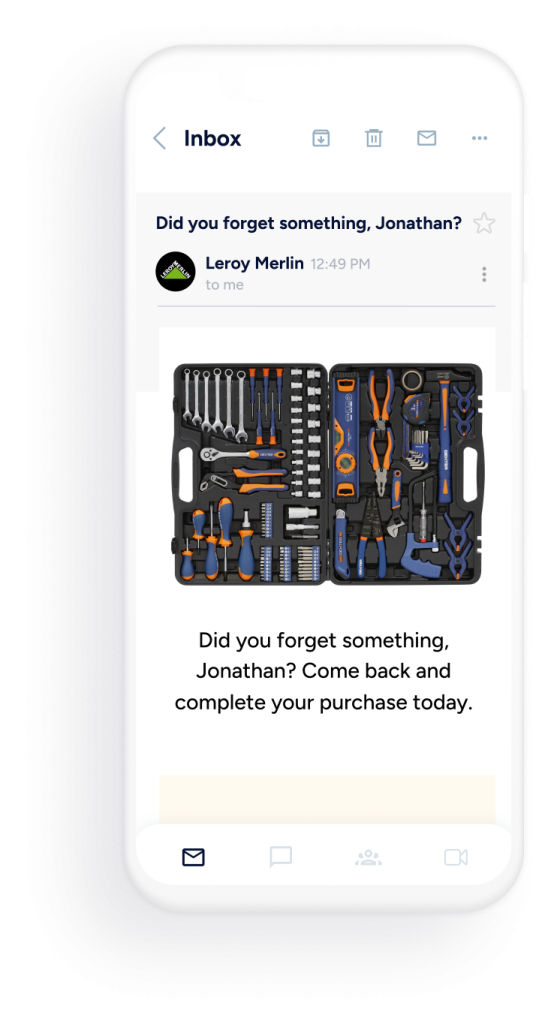
Leroy Merlin is one example of how teams can connect one journey builder to content that already exists instead of recreating it for every touchpoint, and broader proof can be explored through Insider One success stories rather than inline metrics.
Choosing a CMS setup that scales with campaign complexity
The right CMS setup depends on four practical checks: how deep its integrations go, how easily content can be reused across markets, whether localization is built in, and how fast a new campaign can go live without a developer ticket.
- Integration depth: can the CMS connect cleanly to the platform that activates audiences, journeys, and messaging without custom middleware
- Content reuse: are components reusable across email, app, and web, or rebuilt per channel
- Localization: does the CMS support market-specific variants without duplicating the base content
- Speed to launch: can a marketer publish a cross-channel update without opening a developer ticket
CCMS and UCM for growing marketing teams
A component content management system (CCMS) breaks content into reusable pieces, a headline, a disclaimer, a price block, rather than whole pages, so one approved component updates everywhere it appears instead of being edited page by page.
This pattern shows up often in regulated industries where legal copy has to stay consistent across every market.
Unified content management (UCM) extends that same idea across the stack, connecting CMS content with unified customer profiles, audience segmentation, recommendations, experimentation, analytics, and cross-channel delivery so content, data, and activation operate inside one AI-powered Growth Management Platform instead of three disconnected systems.
Teams running an omnichannel marketing automation strategy tend to reach for UCM once campaign volume outgrows manual coordination between separate tools, and a unified marketing platform approach gives marketers one panel to activate content, journeys, recommendations, and audience decisions across web, app, email, SMS, push, and WhatsApp.
Conclusion
A CMS stops being a website tool the moment content needs to move faster than a page rebuild allows. The architecture you choose, traditional, headless, or hybrid, decides whether marketers can turn CMS content into unified, personalized journeys across channels from one AI-powered Growth Management Platform or keep relying on separate tools that fragment data, decisions, and execution.
Campaign complexity keeps growing, and the CMS decision made now sets the ceiling on how personalized, coordinated, and fast future campaigns can be.
To evaluate how Insider One connects CMS content to unified profiles, segmentation, recommendations, and cross-channel execution for your use case, book a personalized demo to review your goals, data requirements, and implementation constraints with the Insider One team.
FAQs
In marketing, a CMS is the system that creates, stores, and delivers content across every channel a campaign uses, not just the website. The CMS marketing meaning matters because content built once needs to reach email, app, push, and web without separate rebuilds for each channel.
A CMS stores and manages content assets, while Insider One’s AI-powered Growth Management Platform connects those assets to unified customer profiles, audience segments, recommendations, and channel logic. Connected together, they let one content asset power personalization and cross-channel journeys across web, app, email, SMS, push, and WhatsApp instead of staying static on a single page.
A headless CMS stores content as structured data and delivers it through APIs to any channel, rather than bundling content with a fixed template. It gives developers flexibility to build custom experiences, though marketers may need engineering support for changes that a traditional visual editor would let them make directly.
A component content management system (CCMS) manages reusable content pieces, like a disclaimer or price block, so one update applies everywhere it’s used. Unified content management (UCM) goes further, connecting the CMS with unified profiles, recommendations, and engagement channels inside one operational system instead of three disconnected tools.
Not necessarily. A hybrid CMS often gives marketing teams enough API access to feed personalization, recommendations, and journey activation while keeping a visual editor for daily content updates. The real requirement is a working connection between the CMS and the platform that unifies profiles, segmentation, and cross-channel delivery, not a specific architecture.

Keep Reading
7 min.

Muharrem Derinkok
4 Jun 2026
11 min.

Chris Baldwin
2 Jun 2026
4 min.
Chris Baldwin
3 Feb 2026