

 Platform Overview

 Integration Hub

 Agent One™

 Agent One Teams™

 Customer Data Management

 Personalization

 Journey Orchestration

 Reporting & Data

 Behavioral Analytics

 Web
Web

 Email
Email

 Site Search

 Conversational CX

 WhatsApp

 Web Push

 InStory

 App
App

 SMS & RCS

 Join the $0 Migration Movement™

 The Insider One Difference

 Compare Vendors

 Switch to Insider One

 Success Story

 Retail & Ecommerce

 Financial Services

 Travel & Hospitality

 Beauty & Cosmetics

 Automotive

 Telecommunications

 Total Economic Impact™ Study

 Blog
Blog

 E-Books & Guides

 Events

 Glossary
Which Email Marketing Platforms Offer Built-In Journey Orchestration?

Updated on 26 Jun 2026
9 min.
Table of Contents
- Summary
- What is built-in journey orchestration in email platforms?
- Which email platforms include built-in journey orchestration?
- Which email marketing platforms handle built-in journey orchestration best?
- How should you evaluate email journey orchestration platforms?
- How do you design, launch, and govern orchestrated journeys?
- What does a live journey build with Insider One look like?
- Frequently asked questions
Most Popular
Summary
Built-in journey orchestration lets marketers create and optimize personalized, cross-channel customer journeys from a single platform. Real-time triggers, dynamic branching, and unified frequency controls ensure every interaction adapts to customer behavior while preventing over-messaging.
Most email marketing platforms can send a welcome series. That’s automation rather than full journey orchestration. When email marketing platforms provide built-in journey orchestration, you can trigger cross-channel sequences based on real-time behavior, branch paths based on engagement, and apply unified frequency caps without stitching together external tools or waiting for batch updates.
The difference shows up in conversion rates, time-to-launch, and whether your team spends the day building campaigns or troubleshooting integrations.
What is built-in journey orchestration in email platforms?
A platform that sends a welcome series isn’t orchestrating journeys. It’s running a linear automation flow. Teams often use the terms interchangeably, but they describe different capability tiers.
Journey orchestration requires core orchestration features such as:
- Event-driven triggers
- Conditional branching based on real-time behavior
- Cross-channel coordination
- Goal-based exits
“Built-in” means these capabilities exist natively in the platform’s canvas, not through third-party connectors or custom API work.
| Capability | What it does | Example |
| Autoresponder | Sends a single message after a trigger | Welcome email on signup |
| Drip sequence | Sends a fixed series with time delays | A few emails over the first week |
| Behavioral automation | Branches based on email engagement | Send the next email only if the previous email was opened |
| Journey orchestration | Coordinates cross-channel sequences in real time | Trigger on cart abandonment, check inventory, send push, escalate to WhatsApp |
Why does this distinction matter? Native orchestration eliminates data latency between systems. It keeps customer profiles consistent across channels. And it simplifies governance because suppression rules and frequency caps apply from one place.
Which email platforms include built-in journey orchestration?
Only platforms where event triggers, branching, cross-channel steps, and frequency capping are native to the journey builder made this list.
| Platform | Native channels | Real-time triggers | Nested branching | Send-time optimization | A/B path testing | Unified frequency caps |
| Insider One | Email, SMS, RCS, WhatsApp, push, in-app, AI agents, ads | Native | Yes | AI-powered | Auto-winner | Native |
| Braze | Email, SMS, WhatsApp, push, in-app | Native | Yes | AI-powered | Native | Native |
| Salesforce Marketing Cloud | Email, SMS, push | Native | Yes | Einstein AI | Native | Native |
| Adobe Journey Optimizer | Email, SMS, push, in-app | Native | Yes | AI-powered | Native | Native |
| HubSpot Marketing Hub | Email, SMS, WhatsApp, in-app | Native | Yes | Native | Native | Via integration |
| Bloomreach | Email, SMS, WhatsApp, push, in-app | Native | Yes | AI-powered | Native | Native |
“Native” here means the capability is built directly into the journey canvas and uses the unified customer profile without requiring a separate integration.
If you want to verify what “native” really means in your business, real-time triggers, nested splits, and global caps without extra tools, book a walkthrough now.
Which email marketing platforms handle built-in journey orchestration best?
Each review below covers how the platform handles orchestration, where it excels, and where you should expect tradeoffs.
Insider One
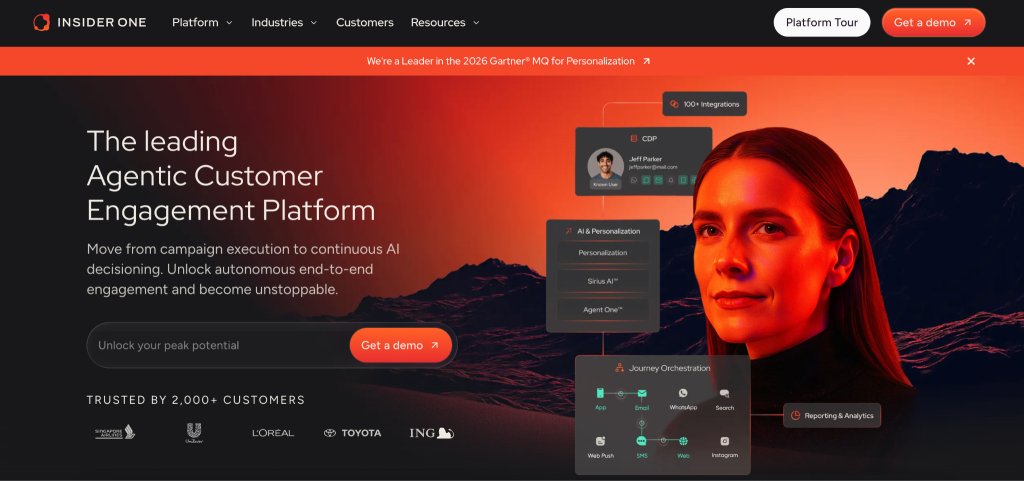
Teams that want to run complex, multi-channel journeys without stitching together separate tools for customer data platform (CDP), personalization, and orchestration face a familiar problem. Architect, Insider One’s customer journey orchestration solution, unifies these capabilities on a single canvas.
This is where Insider One separates from the field: the CDP, AI, personalization, and orchestration run on one architecture rather than as separately licensed modules stitched together across products or clouds, so there is no integration tax, no reverse-ETL round trip to reach customer data, and no dependency on engineering or templating languages for marketers to launch a journey.
The result is the widest native channel set, real-time decisioning on live data, and the fastest time to value of any platform in this comparison.
Here’s how a cart abandonment flow works in Architect:
- The journey checks channel reachability
- It applies frequency caps
- It branches on engagement
- It escalates to WhatsApp if email goes unopened
The logic is straightforward. IF the user opens the email within a short window, exit the journey. ELSE, wait a bit longer and send WhatsApp.
Sirius AI™, Insider One’s extensive set of AI capabilities, powers Next Best Channel and Send Time Optimization natively. You don’t have to guess which channel will work best for each user.
Main features:
- Native cross-channel orchestration across 12+ channels, including email, SMS, RCS, WhatsApp, web push, app push, in-app, AI agents, and ads audiences including Google, Facebook, and TikTok
- Real-time event triggers from unified customer profiles, plus business event, API, and low-inventory triggers for advanced, state-aware orchestration; transactional journeys (order confirmations, shipping updates, OTPs) run on the same canvas as marketing journeys; and AI agents are also a journey step, so an abandoned agent conversation can automatically re-engage the customer across any of the 12+ channels
- AI-powered Next Best Channel and Send Time Optimization
- A/B Auto-Winner Selection with configurable metrics and holdouts
- Unified frequency capping across all channels, with an Architect control group to measure the true incremental lift of each journey
Ideal for: Mid-market and enterprise ecommerce, retail, travel, and financial services teams consolidating CDP, personalization, and orchestration into one platform.
Pricing: MTU-based pricing with no hidden charges for data, storage, or duplicated events.
Braze

Braze excels at real-time, event-driven orchestration for mobile-first and app-centric brands. Canvas, its journey builder, allows nested branching, action-based delivery, and Liquid personalization.
Consider an onboarding journey in Braze. It branches based on whether the user opens the app within a defined window, then escalates to push if email remains unopened.
Intelligent Selection auto-allocates traffic to winning variants, though it requires sufficient event volume to train.
Insider One includes a native customer data platform (CDP), while teams evaluating Braze should verify how customer data is managed. Teams typically integrate with Segment or another CDP for identity resolution before routing data into the platform.
Pricing: Custom pricing based on monthly active users and channels.
Salesforce Marketing Cloud
Journey Builder is powerful, but its complexity scales with that power. The platform supports CRM-triggered journeys, Einstein Send Time Optimization, and deep integration with Sales Cloud and Service Cloud.
A B2B team can build a lead nurture journey triggered by an Opportunity Stage change, with branches based on email engagement and CRM task creation.
Teams must understand the contact model and Data Extensions before building anything non-trivial. Automation Studio handles batch processes while Journey Builder handles real-time. Conflating them is a common source of implementation delays.
Pricing: Enterprise pricing varies by edition and add-ons.
Adobe Journey Optimizer
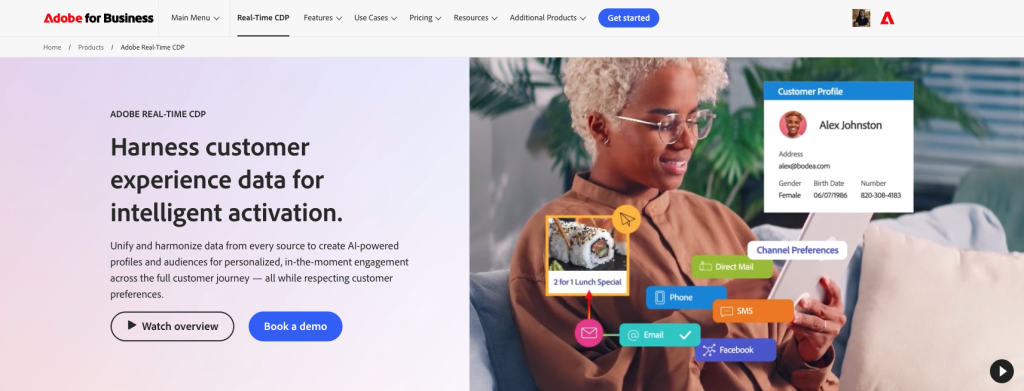
Adobe Journey Optimizer is built on Adobe Experience Platform, which means real-time streaming segmentation and offer decisioning are native.
A travel brand can trigger a journey on booking abandonment, check offer eligibility based on loyalty tier, and deliver a personalized upgrade offer via email and app push.
Teams already invested in Adobe Experience Platform will find this a natural extension. Teams without that foundation face a significant data architecture project before orchestration becomes possible. XDM schemas and identity graphs add complexity.
Pricing: Enterprise pricing requires Adobe Experience Platform foundation.
HubSpot Marketing Hub
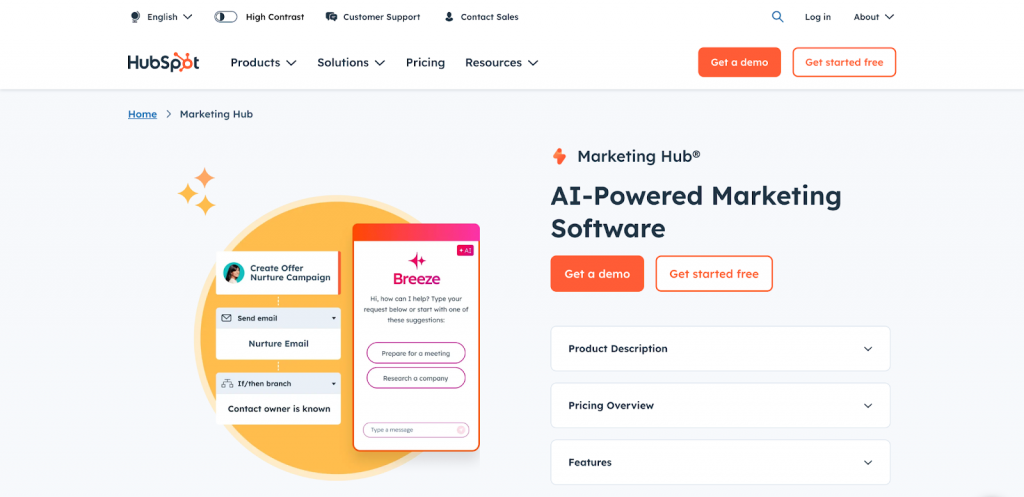
Workflows are easy to build, tightly integrated with HubSpot CRM, and accessible to teams without technical resources. Goal-based exits, lead scoring, and CRM task creation are native.
An MQL nurture workflow branches on email engagement, creates a CRM task if the lead visits the pricing page, and exits when a deal is created. HubSpot supports cross-channel steps, though SMS is a paid add-on (with a single number and marketing-only use) and WhatsApp runs through its native integration, so the breadth is narrower than the enterprise platforms listed in this article. Teams evaluating HubSpot should confirm that the depth of its SMS, WhatsApp, and ads audience sync fits their journey requirements.
Pricing: Tiered pricing gates advanced orchestration features by plan level.
If you’re evaluating platforms and want a clear way to compare “native” vs. “connected,” start with a guided build and let us prove it live. Request a demo.
Bloomreach
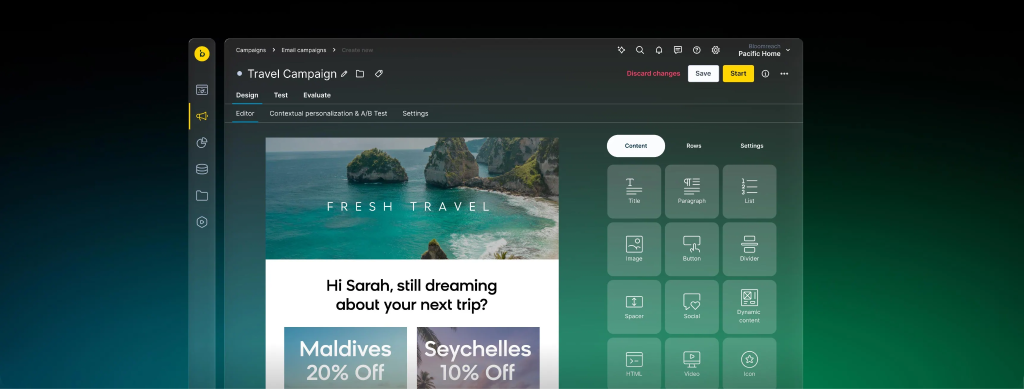
Bloomreach differentiates with ecommerce-native orchestration. Scenarios, its journey builder, provides native access to product catalog data, RFM segmentation, and AI-powered recommendations.
A browse abandonment journey checks if the viewed product is still in stock, applies a discount if the customer belongs to a high-RFM segment, and falls back to SMS if email is unopened. Teams can trigger journeys based on browse behavior, cart contents, or product availability changes.
Pricing: Custom pricing.
How should you evaluate email journey orchestration platforms?
Teams evaluate platforms based on feature lists, then discover during implementation that “real-time” means batch updates on a delay. Or that “native SMS” requires a separate contract.
Ask the vendor to build a journey with multiple nested splits, triggered by a real-time event, with unified frequency capping, quickly. That’s your proof of native.
What data sources and unification capabilities do you need?
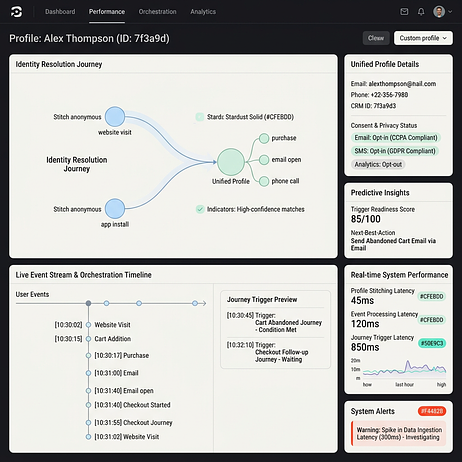
Orchestration is only as good as the data feeding it. How fast do events arrive? Are identities resolved before the journey triggers?
- Event taxonomy: Are key actions tracked natively?
- Identity resolution: Can the platform stitch anonymous and known profiles?
- Consent: Is opt-in status available in real time?
- Latency: What’s the delay between event and trigger?
Teams with warehouse-native data should ask whether the platform supports reverse ETL or direct warehouse queries.
Which native channels and reachability checks matter most?
“Native” should mean the channel step is built into the journey canvas, uses the same customer profile, and respects unified frequency caps. If SMS requires a separate connector with its own rate limits, that’s not native.
During a demo, ask the vendor to add an SMS or WhatsApp step without leaving the canvas. Verify that the global frequency cap applies automatically.
How should you evaluate A/B testing and auto-winner selection?
Most platforms support A/B testing on email subject lines. Fewer support path-level testing where entire journey branches are compared. Even fewer support auto-winner selection with statistical guardrails.
Auto-winner without holdouts can overfit to early results. Ask vendors whether holdouts are supported and how reallocation is calculated.
How do you design, launch, and govern orchestrated journeys?
Teams build journeys in a demo environment, launch to production, and discover they’ve over-messaged a segment or triggered a journey for users who should have been excluded.
- Define eligibility criteria based on real-time behavior
- Configure suppression rules and cooldown windows
- Set re-entry rules to prevent duplicate enrollments
- QA the journey with internal test profiles across all branches
- Secure stakeholder approval
- Activate with a limited audience first
- Monitor performance and iterate
What journey blueprints work for common use cases?
For a welcome series: trigger on signup, branch based on whether the user opens the first email within a defined window, exit on first purchase.
For cart abandonment, with an average documented rate near 70%, trigger after cart creation without purchase, branch based on cart value, escalate to SMS if email is unopened after a defined window, and exit when the cart clears or purchase completes.
For winback: trigger after an extended period without purchase, branch based on recent email engagement, exit on purchase or unsubscribe.
How should you handle eligibility, suppression, and conflict resolution?
A customer who abandons a cart, browses a new category, and qualifies for a winback campaign could receive three journeys simultaneously without proper controls.
- Mutual exclusivity: Prevent users from entering conflicting journeys at the same time
- Priority ranking: Define which journey wins when a user qualifies for multiple
- Cooldown windows: Set mandatory wait times between journey enrollments
- Global caps: Enforce maximum messages per user across all channels
Document these rules in a shared policy, not just in the platform configuration.
If you want to review your governance model against a real multi-channel journey build, request a demo.
Focus on:
- Eligibility
- Conflicts
- Caps
- Re-entry
What does a live journey build with Insider One look like?
If you want to see how Insider One handles the orchestration scenarios described here, request a live demo. Ask our team to build a cart abandonment journey with cross-channel escalation and unified frequency caps. We can walk through these scenarios using your data or a sandbox environment.
Before you read the FAQs, you can also explore the full library of end-to-end walkthroughs, including cross-channel escalation and frequency governance, in the demo hub.
Frequently asked questions
Built-in means the capability to trigger, branch, and optimize cross-channel sequences exists natively within the platform’s journey builder without requiring external integrations or custom API work.
Journey mapping visualizes the ideal customer experience across touchpoints. Journey orchestration executes automated, cross-channel sequences based on real-time customer behavior.
It depends on the platform. Some offer native SMS and WhatsApp steps within the same canvas, while others require third-party integrations to send messages on those channels.
Real-time typically means rapid event processing from the moment a customer takes an action. Ask vendors for specific latency service level agreements during evaluation.
Use global frequency caps, mutual exclusivity rules, and cooldown windows configured at the platform level to govern all active journeys simultaneously.

Keep Reading
7 min.

Muharrem Derinkok
4 Jun 2026
11 min.

Chris Baldwin
2 Jun 2026
4 min.
Chris Baldwin
3 Feb 2026