

 Platform Overview

 Integration Hub

 Agent One™

 Agent One™ Teams

 Customer Data Management

 Personalization

 Journey Orchestration

 Reporting & Data

 Behavioral Analytics

 Web
Web

 Email
Email

 Site Search

 Conversational CX

 WhatsApp

 Web Push

 InStory

 App
App

 SMS & RCS

 Join the $0 Migration Movement™

 The Insider One Difference

 Compare Vendors

 Switch to Insider One

 Success Story

 Retail & Ecommerce

 Financial Services

 Travel & Hospitality

 Beauty & Cosmetics

 Automotive

 Telecommunications

 Total Economic Impact™ Study

 Blog
Blog

 E-Books & Guides

 Events

 Glossary
Best Ecommerce Email Marketing Automation Platforms

Updated on 24 Sep 2026
20 min.
Table of Contents
- Summary
- What is email marketing automation for ecommerce?
- How do email marketing automation platforms for ecommerce compare?
- Which email marketing automation platforms work best for ecommerce?
- Which automated email flows drive ecommerce revenue?
- How to segment customers for ecommerce email automation
- What to look for in an email automation platform for ecommerce
- How to set up your first automated email workflow
- How to prevent automation overlap and email fatigue
- How to measure ROI from email automation
- Why Insider One is built for ecommerce email automation?
- FAQs
Most Popular
Summary
Ecommerce email automation uses real-time customer behavior to trigger personalized messages that drive revenue throughout the customer lifecycle. High-impact flows like welcome, cart abandonment, and post-purchase emails rely on strong segmentation, real-time data, and accurate measurement to maximize conversions while avoiding unnecessary sends.
Most ecommerce teams run email automations. Few run them well enough to recover the revenue sitting in abandoned carts, nearly 70% are left incomplete, lapsed customers, and missed replenishment windows. Email marketing automation for ecommerce isn’t about sending more messages.
It’s about sending the right message when a customer’s behavior signals intent, whether that’s abandoning a checkout, browsing a product, or running low on a consumable.
The difference between automations that drive revenue and automations that get ignored comes down to timing, segmentation, and the platform’s ability to act on behavioral signals in real time.
What is email marketing automation for ecommerce?
A broadcast email goes to a list on a schedule. An automated email fires when a customer does something. For online stores, that action is usually a behavioral event your website tracks: adding an item to a cart, viewing a product, completing a purchase.
Every automation has core components:
- Trigger: The event that starts the flow, like a checkout that wasn’t completed
- Condition: Filters that determine who qualifies, such as cart value above a threshold
- Action: The message or sequence that sends, like a recovery series
This shifts email from a cost center to a revenue channel. According to Omnisend’s email marketing data, automated messages account for a small share of sends yet generate a disproportionate share of revenue.
Flows run in the background, recovering abandoned carts and driving repeat purchases while your team works on other priorities.
| Broadcast | Automation |
| Sent to a list on a schedule | Fires when a customer takes an action |
| Same message to everyone | Dynamic content based on behavior |
| Single send | Runs continuously |
How do email marketing automation platforms for ecommerce compare?
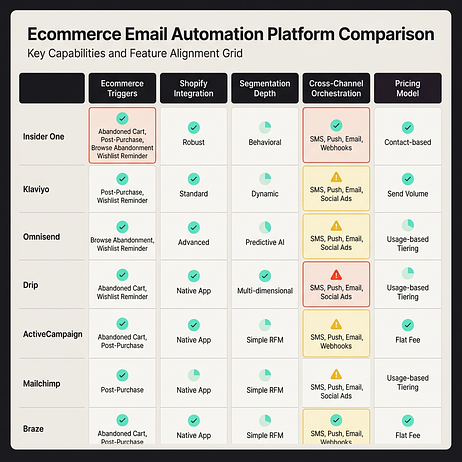
Before diving into detailed reviews, here’s how the major platforms compare on the criteria that matter most: ecommerce event support, segmentation depth, native integrations, and pricing model.
| Platform | Best for | Ecommerce triggers | Native Shopify integration | Pricing model |
| Insider One | Mid-market and enterprise teams needing cross-channel orchestration | Full (cart, browse, purchase, inventory, price drop) | Yes | MTU-based |
| Klaviyo | Shopify-native stores scaling email and SMS | Full | Yes | Contact-based |
| Omnisend | SMBs wanting email and SMS in one tool | Full | Yes | Contact-based |
| Drip | DTC brands with complex segmentation needs | Full | Yes | Contact-based |
| ActiveCampaign | Teams needing CRM and automation combined | Partial (requires setup) | Via integration | Contact-based |
| Mailchimp | Early-stage stores on a budget | Partial | Yes | Contact-based with feature tiers |
| Braze | Enterprise mobile-first brands | Full | Via integration | Custom |
“Full” ecommerce trigger support means the platform natively receives and acts on cart, browse, and purchase events without custom development. “Partial” means some triggers require manual configuration or third-party connectors. If you want to see what “full, real-time triggers” look like in practice across email and other channels, you can request a demo: https://insiderone.com/request-a-demo/.
Which email marketing automation platforms work best for ecommerce?
Which platform fits your store depends on your size, technical resources, and channel strategy. A Shopify store with a lean marketing team has different needs than a multi-brand enterprise running campaigns across:
- SMS
- Web push
Insider One
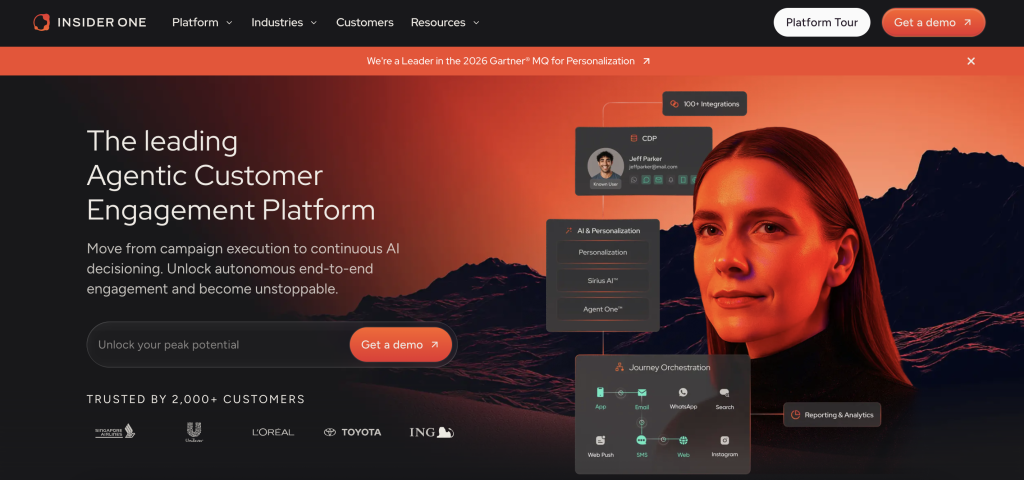
Insider One unifies email automation with cross-channel orchestration across SMS, web push, WhatsApp, and on-site personalization. Cart abandonment flows can span multiple channels without building separate campaigns in separate tools.
The platform processes events in real time, so automations trigger quickly after customer actions. For high-intent flows like cart recovery, that latency difference affects conversion rates.
Architect, Insider One’s customer journey orchestration solution, provides a visual canvas for building flows with branching logic, A/B testing, and artificial intelligence (AI)-powered send time optimization.
Insider One differs from email-first platforms because it’s built for teams that want to consolidate their tools instead of adding another separate product. If you’re running separate tools for email, SMS, and on-site personalization, Insider One replaces them with a single platform and unified customer profiles.
Unlike email-first tools that bolt on channels or require a separate CDP, Insider One was built channel-complete on one architecture with a native CDP, so the same real-time profile that triggers a cart email also powers on-site personalization, site search, and conversational commerce, with predictable MTU-based pricing instead of costs that climb with every contact or event.
Pricing: MTU-based pricing with no hidden charges for events, data storage, or API calls. Custom pricing based on monthly tracked users and channels.
Klaviyo
Klaviyo built its platform specifically for ecommerce, with deep Shopify integration. The platform’s strength is its segmentation engine, which lets marketers build segments based on purchase behavior, browsing history, and predictive metrics like expected lifetime value.
For teams focused primarily on email and SMS, Klaviyo provides a mature flow builder with pre-built templates for common ecommerce automations. The learning curve is manageable for marketers without technical backgrounds, though advanced segmentation and custom events require more expertise.
Klaviyo is strongest as a messaging platform built around email and SMS. Teams that also need the on-site experience layer, such as no-code, AI-driven website and category-page personalization, native site search, and on-site product discovery, typically add separate tools, which can create data silos and campaign fragmentation across the stack.
Pricing: A free tier is available with limited contacts and sends. Paid plans start at an entry-level monthly price and scale based on contact count. SMS pricing is separate and usage-based.
Omnisend
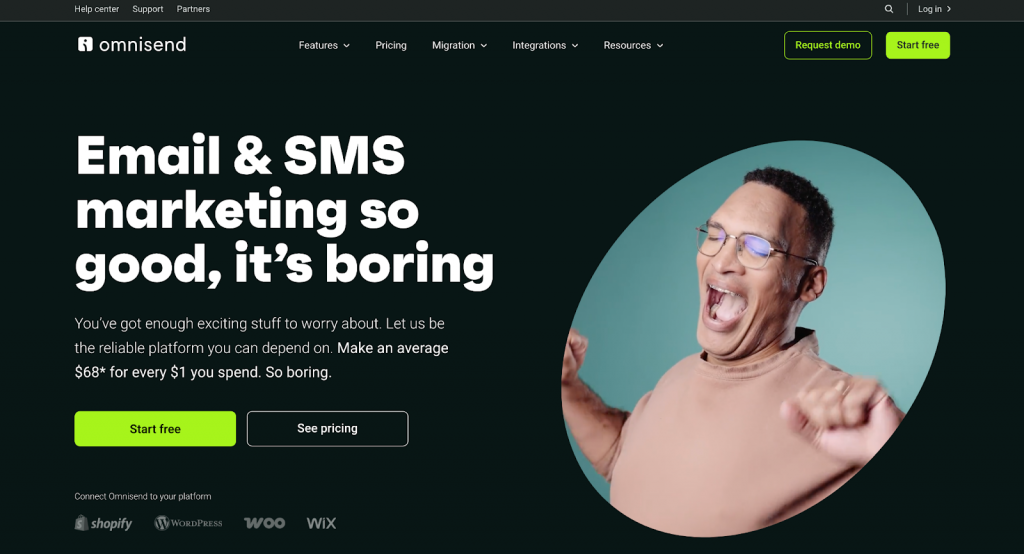
Omnisend positions itself as an all-in-one ecommerce marketing platform, bundling email, SMS, and web push into a single tool. For SMBs that want multichannel automation without managing multiple vendors, this simplicity is the core value proposition.
The platform includes pre-built automation workflows for common ecommerce scenarios, making it accessible for teams launching their first automations. For many SMB ecommerce use cases, the segmentation capabilities are sufficient.
Omnisend’s simplicity means less flexibility for complex segmentation or custom event handling. Teams with more complex needs may choose a more enterprise-focused solution.
Pricing: A free plan is available with limits. Paid plans start at an entry-level monthly price, and higher tiers add channels and features.
Drip
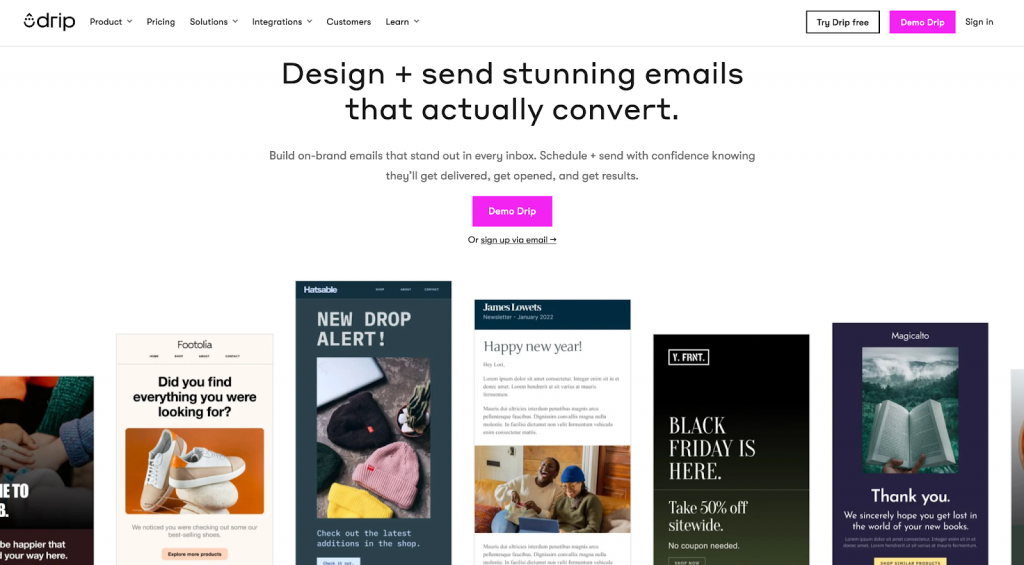
Drip focuses on DTC and ecommerce brands that need sophisticated segmentation and behavioral automation. The platform’s visual workflow builder supports complex branching logic, and its segmentation engine handles nuanced conditions like “purchased product X but not product Y within a defined window.”
For teams with a dedicated email marketer who wants more detailed control, Drip provides the flexibility to build custom flows beyond standard templates. The platform integrates with Shopify, WooCommerce, and BigCommerce, though the integration depth varies by platform.
Drip centers on ecommerce email and SMS, with deep native integrations for Shopify, WooCommerce, and BigCommerce. Teams that need broader channels such as WhatsApp, web and on-site personalization, or in-app messaging typically add separate tools, which can add complexity to the stack.
Pricing: Plans start at an entry-level monthly price and scale based on contact count. No free plan, but offers a trial.
ActiveCampaign
ActiveCampaign combines email automation with customer relationship management (CRM) functionality, making it a fit for ecommerce teams that want to manage customer relationships and email campaigns in one place. The platform’s automation builder is flexible, supporting complex conditional logic and multi-step workflows.
For ecommerce, ActiveCampaign requires more setup than Klaviyo or Omnisend because it wasn’t built specifically for online retail. Teams need to configure ecommerce event tracking through integrations or custom implementations.
The platform’s breadth, spanning CRM, sales automation, and email, means the ecommerce-specific features aren’t as polished as purpose-built alternatives. Teams that primarily need email automation find the CRM features add unnecessary complexity.
Pricing: Plans start at an entry-level monthly price and scale with list size and features. Ecommerce-specific features require higher-tier plans.
Mailchimp
Mailchimp remains a common starting point for early-stage ecommerce stores due to its free tier and brand recognition. The platform covers basic email automation, including welcome series and abandoned cart flows, with a visual builder that’s accessible for beginners.
For stores that need simple automations and aren’t ready to invest in a more sophisticated platform, Mailchimp provides a low-risk entry point. The Shopify integration works for basic use cases, though it’s less seamless than Klaviyo’s native connection.
Mailchimp’s ecommerce automation capabilities are basic compared to purpose-built alternatives. Teams that need advanced segmentation, multi-channel orchestration, or sophisticated behavioral triggers will outgrow the platform quickly.
Pricing: A free plan is available with limits, and paid plans start at an entry-level monthly price. Advanced automation features require higher-tier plans.
Braze

Braze is an enterprise customer engagement platform that excels at mobile-first brands with sophisticated lifecycle marketing needs. The platform supports email, push notifications, in-app messaging, and SMS, with a focus on real-time personalization and complex journey orchestration.
For ecommerce, Braze requires significant implementation investment because it’s designed for technical teams with engineering resources. The platform’s flexibility is a strength for enterprises with custom requirements, but a barrier for teams without dedicated technical support.
Braze’s enterprise positioning means higher costs and longer implementation timelines. Mid-market ecommerce teams often find the platform over-engineered for their needs.
Pricing: Custom enterprise pricing based on monthly active users and channels. Implementation and onboarding costs are additional.
Which automated email flows drive ecommerce revenue?
Most ecommerce email revenue comes from a small number of high-performing flows. Teams that nail cart abandonment, welcome series, and post-purchase flows capture the majority of automation value before adding more sophisticated sequences.
What should a welcome series include?
The welcome series is the first automated touchpoint after signup, and it sets expectations for the relationship. A weak welcome series trains subscribers to ignore your emails. A strong one drives first purchases and establishes engagement patterns.
Trigger: Email signup via popup, checkout opt-in, or account creation.
Timing: Send the first email immediately after signup. Follow up with additional emails over the next several days.
Exclusions: Suppress subscribers who purchase before completing the series. Suppress subscribers already in a cart abandonment flow.
If the signup included a first-purchase incentive, the series should track whether the discount was used. If unused late in the series, the final email becomes a reminder. If used, the subscriber exits to post-purchase.
How should you set up a cart abandonment flow?
Cart abandonment flows aim to recover revenue from customers who added products but didn’t complete checkout. The standard approach of sending a reminder and offering a discount can reduce potential revenue. It trains customers to wait for discounts.
Trigger: Checkout started but not completed shortly after.
Timing: Send an initial reminder soon after abandonment, with cart contents and no discount. Follow with a second email later with urgency or social proof and no discount. Send a final email later with a discount if cart value exceeds threshold and the customer has no history of discount usage.
Exclusions: Suppress customers who completed purchase. Suppress customers already receiving a promotional campaign. Suppress customers who abandoned carts below a minimum value threshold.
Avoid offering discounts in the first messages. If the customer recovers without a discount, you’ve preserved margin. Reserve discounts for the final message, and only for customers who haven’t previously converted on a discount.
When does browse abandonment make sense?
Browse abandonment targets customers who viewed products but didn’t add to cart. This flow is lower-intent than cart abandonment, which means higher volume and higher risk of fatigue if not properly gated.
Trigger: Product page view with no add-to-cart within the same session.
Timing: Send an email shortly after the browse session ends. Optionally follow up later with related products or social proof.
Exclusions: Suppress customers who added to cart. Suppress customers who have received a browse abandonment email recently. Suppress customers with low engagement scores.
Only send browse abandonment to engaged subscribers. Sending to your full list of product viewers will damage deliverability and train customers to ignore your emails. Most platforms allow you to add a condition like “opened an email recently” to filter the audience.
What should a post-purchase flow do?
Post-purchase flows extend the customer relationship beyond the transaction. The goal shifts from conversion to education, cross-sell, and repeat purchase. Timing and content depend on what was purchased.
Trigger: Order confirmed or order delivered.
Timing: Send a confirmation email immediately after purchase, then follow with additional emails over time based on the product and delivery experience.
Exclusions: Suppress customers who have already left a review. Suppress customers in an active support ticket.
For consumables like skincare or supplements, the cross-sell and replenishment timing should align with expected usage. For durables like furniture or electronics, the education and care sequence matters more than quick cross-sell.
How do replenishment reminders work?
Replenishment flows apply to consumable products with predictable usage cycles. The challenge is timing the reminder to arrive before the customer runs out, but not so early that it feels irrelevant.
Trigger: Days since last purchase of a consumable SKU, based on expected usage window.
Timing calculation: Identify the typical reorder window for each SKU. Send the reminder shortly before the expected reorder date. For unknown usage patterns, use typical reorder behavior from your customer base.
Exclusions: Suppress customers who already reordered. Suppress customers who purchased a larger quantity.
For customers who bought a bulk quantity, extend the window proportionally. If a customer typically buys a smaller supply but purchased a larger supply, the replenishment reminder should adjust.
How should back-in-stock alerts work?
Back-in-stock alerts notify customers when a previously unavailable product returns to inventory. The flow requires capturing interest via a waitlist signup and triggering the email when inventory updates.
Trigger: Product inventory changes from unavailable to available, and customer is on the waitlist for that SKU.
Timing: Send immediately when inventory is available.
Exclusions: Send only once per restock event. Suppress customers who purchased the item from a different source.
Add a “notify me” option on out-of-stock product pages. The signup should capture the customer’s email and the specific SKU they’re interested in.
When should you use win-back and re-engagement flows?
Win-back flows attempt to re-engage customers who haven’t purchased or engaged in a defined period. The key decisions are defining “lapsed” and knowing when to stop.
Trigger: No purchase in X days, with threshold varying by category and purchase frequency.
Lapse thresholds by category:
- Fashion: After a few months
- Beauty/consumables: After a shorter period of inactivity
- Electronics/furniture: After a longer period of inactivity
Timing: Send a sequence of win-back emails starting at the lapse threshold, then follow up over the next several weeks.
Exclusions: Suppress customers who have engaged but not purchased. After the final email with no engagement, move to suppressed segment.
Continuing to email unengaged customers damages deliverability and wastes resources. After the win-back series completes with no engagement, suppress the customer from regular campaigns. If you want a fast way to see how top teams orchestrate these flows without overlap, explore the demo hub.
How to segment customers for ecommerce email automation
Segmentation determines whether automations feel relevant or generic. A cart abandonment email that ignores purchase history and customer value treats a first-time visitor the same as a loyal VIP. That’s a missed opportunity for differentiated messaging.
The segments that matter for ecommerce automation fall into these categories:
Lifecycle stage segments:
- New subscribers: Haven’t purchased yet
- First-time buyers: Completed their first purchase
- Repeat customers: Multiple purchases
- Lapsed customers: No purchase in X days
Behavioral segments:
- High-intent browsers: Viewed multiple products or spent significant time on site
- Cart abandoners: Added to cart but didn’t purchase
- Discount-sensitive: History of purchasing only with discounts
- Full-price buyers: History of purchasing without discounts
Value-based segments:
- VIP/high-value: Top customers by lifetime value or purchase frequency
- At-risk high-value: Previously high-value customers showing declining engagement
| Segment | Key data points | Flows triggered | Messaging differences |
| New subscriber | Signup date, no purchase | Welcome series | Incentive-focused, brand introduction |
| First-time buyer | Purchase count, recency | Post-purchase, review request | Education, cross-sell |
| Repeat customer | Purchase history, frequency | Loyalty, VIP, replenishment | Rewards, early access |
| Lapsed | Days since last purchase | Win-back | Incentive escalation, suppression |
| VIP | LTV, purchase frequency | Exclusive access, birthday | Non-discount value, personalization |
Segmentation only pays off if it updates in time to act. If you’re ready to unify behavioral signals, value tiers, and lifecycle stages into live audiences, request a demo.
What to look for in an email automation platform for ecommerce
Most platform comparisons focus on surface features like drag-and-drop builders and templates. The criteria that actually determine success are harder to evaluate: event latency, identity resolution, and orchestration capabilities.
Ecommerce event support: The platform must natively support cart, browse, and purchase events without custom development. Events should include product-level data for dynamic content blocks. Event latency should be near-instant.
Identity resolution: The platform should unify anonymous browsing behavior with known customer profiles when a visitor logs in or provides an email. Without identity resolution, browse abandonment is more limited because the platform has less profile data to work with.
Segmentation depth: Look for behavioral segmentation and predictive segmentation. Test whether segments update in real time or on a delayed schedule.
Orchestration and conflict resolution: The platform should support flow prioritization. Global frequency caps prevent over-mailing across flows. Suppression rules should be configurable per flow.
Testing capabilities: A/B testing should be available at the flow level, not just individual emails. Holdout groups enable true incrementality measurement.
Integration quality: Native integrations with your ecommerce platform reduce setup time and data latency. API access matters for custom events and advanced use cases.
If you’re shortlisting tools, don’t guess on latency, identity, and orchestration. Walk through the product and see how these pieces work together in the demo hub.
How to set up your first automated email workflow
Teams often launch automations without proper testing, then discover issues after emails have already sent. A structured setup process prevents broken dynamic content, wrong audiences, and missing exclusions.
- Define the trigger and audience: Specify the exact event that starts the flow. Define the audience conditions and document exclusions.
- Map the sequence: Outline each email in the series with timing between sends. Define branching conditions and set exit conditions.
- Build the emails: Create templates with dynamic content blocks for personalization. Write subject lines and preview text. Include UTM parameters for attribution tracking.
- Configure suppression and frequency rules: Set flow-level suppression. Configure global frequency caps. Define priority relative to other flows.
- QA with test profiles: Create test profiles that match different audience conditions. Send test emails to verify dynamic content renders correctly. Test the full sequence, not just individual emails.
- Launch to a small segment: Start with a subset of your audience to catch issues before full rollout. Monitor for unexpected behavior.
- Monitor and iterate: Set up alerts for anomalies. Review performance regularly at first, then on an ongoing cadence. Document learnings and update the flow based on results.
How to prevent automation overlap and email fatigue
As teams add more automations, customers start qualifying for multiple flows simultaneously. Without orchestration rules, a customer could receive a cart abandonment email, a browse abandonment email, and a promotional campaign on the same day.
Priority rules: Define which flows take precedence when a customer qualifies for multiple. Transactional emails take priority over recovery emails, which take priority over promotional campaigns.
Global frequency caps: Set a maximum number of automated emails per customer per day and per week. Caps should apply across all flows, not just within individual automations.
Suppression windows: After a customer receives an email from one flow, suppress them from other flows for a defined period.
Flow exit conditions: Ensure customers exit flows when they take the desired action. Exit conditions should update in real time to prevent sending irrelevant follow-ups.
How to measure ROI from email automation
Most platforms report “revenue from automation” by attributing purchases to customers who received an automated email within a lookback window. This overstates impact because some of those customers would have purchased anyway.
Standard metrics like attributed revenue and flow conversion rate are necessary but insufficient. For true measurement, you need incrementality testing.
Holdout groups: Exclude a small subset of eligible customers from each flow.
Compare outcomes: Measure purchase rate and revenue for the holdout group versus the group that received emails.
Calculate lift: Compare conversion and revenue between holdout and treatment to estimate the incremental impact.
Run holdouts on high-volume flows where statistical significance is achievable. Cart abandonment often has high organic recovery, so holdouts help you understand how much the automation actually contributes.
Why Insider One is built for ecommerce email automation?
For ecommerce teams evaluating email automation platforms, Insider One offers a different approach. Instead of adding another separate product to your stack, it consolidates:
- SMS
- Web push
- On-site personalization
into a single platform with unified customer profiles.
- Real-time event processing: Cart, browse, and purchase events trigger automations quickly after customers act, alongside native low-inventory and back-in-stock triggers, advanced replenishment reminders, and transactional email and SMS journeys built on the same canvas
- Cross-channel orchestration: Architect lets you build flows that span email, SMS, web push, and WhatsApp from a single canvas
- AI-powered optimization: Sirius AI™, Insider One’s extensive set of AI capabilities, includes send time optimization, next-best-channel selection, and A/B auto-winner selection, plus generative AI that writes subject lines and body copy from a short prompt and one-click localization for multi-market sends. Automations can also use AMP for Email, so a cart-recovery or replenishment message can carry an interactive product carousel or one-tap reorder directly in the inbox
- Predictive segmentation: Segment customers by purchase likelihood, churn risk, and discount affinity using machine learning models trained on your data
- Unified customer profiles: The built-in customer data platform (CDP) unifies browsing, purchase, and engagement data across channels
If you’re done managing separate email tools, SMS add-ons, and on-site solutions, take a quick walkthrough and see what consolidation looks like end-to-end.
FAQs
Cart abandonment, welcome series, and post-purchase flows generate the majority of automated email revenue. Start with these before adding browse abandonment or replenishment.
Browse abandonment targets lower-intent customers who viewed products but didn’t add to cart. This means higher volume and higher risk of fatigue if you don’t gate the flow to engaged subscribers only.
After the final email with no engagement, move the customer to a suppressed segment. Continuing to email unengaged customers damages deliverability and wastes resources.
Attributed revenue counts all purchases from customers who received an email, but some would have purchased anyway. Holdout groups exclude a subset of eligible customers so you can measure the true incremental lift.
Global frequency caps set a maximum number of automated emails per customer per day and per week. Caps should apply across all flows, not just within individual automations, to prevent over-mailing.
Event latency measures how quickly the platform fires an automation after a customer action. Real-time processing triggers quickly after customers act. Batch processing updates segments on a delayed schedule, which means cart abandonment emails arrive too late.

Keep Reading
4 min.

Chris Baldwin
3 Feb 2026
9 min.
Chris Baldwin
2 Nov 2026
9 min.
Chris Baldwin
2 Nov 2026