

 Platform Overview

 Integration Hub

 Agent One™

 Agent One Teams™

 Customer Data Management

 Personalization

 Journey Orchestration

 Reporting & Data

 Behavioral Analytics

 Web
Web

 Email
Email

 Site Search

 Conversational CX

 WhatsApp

 Web Push

 InStory

 App
App

 SMS & RCS

 Join the $0 Migration Movement™

 The Insider One Difference

 Compare Vendors

 Switch to Insider One

 Success Story

 Retail & Ecommerce

 Financial Services

 Travel & Hospitality

 Beauty & Cosmetics

 Automotive

 Telecommunications

 Total Economic Impact™ Study

 Blog
Blog

 E-Books & Guides

 Events

 Glossary
App Frames inline content channel | Insider One

Updated on 28 Sep 2026
12 min.
Table of Contents
- What is App Frames, the inline app content channel?
- Why app-first teams needed an inline app content channel
- How App Frames works inside Insider One
- Core capabilities of App Frames
- Types of use cases for App Frames
- App Frames vs other in-app approaches
- Components of App Frames
- Types of App Frames placements
- Getting started with App Frames
- FAQ
- What makes App Frames a distinct channel from In-App Messages?
- How much engineering work is required to use App Frames?
- Can App Frames support complex coupon and promotion campaigns?
- How does targeting work for App Frames placements?
- What kinds of brands and teams should prioritize App Frames?
- How do App Frames campaigns fit into an omnichannel strategy?
- What is the best way to start experimenting with App Frames?
Most Popular

App Frames: the marketer-owned inline app content channel in Insider One
Most app-first brands still treat embedded app content as code, not as a channel. That’s why every new banner, countdown, or coupon strip inside the app turns into an engineering request, a release cycle, and a delay for marketing.
Marketers have owned email, SMS, web, push, and social for years. The app was the exception.
Embedded content inside mobile apps has lived inside codebases, release trains, and sprint boards. Every change meant a new ticket, a new build, and a new wait. App Frames in Insider One turns that exception into an inline app content channel marketers can own end to end.
According to Sensor Tower, consumers now spend roughly 3.6 hours per day in mobile apps, with total time spent continuing to grow year over year. That makes the app one of the most important engagement environments for modern brands, not just another surface.
What is App Frames, the inline app content channel?
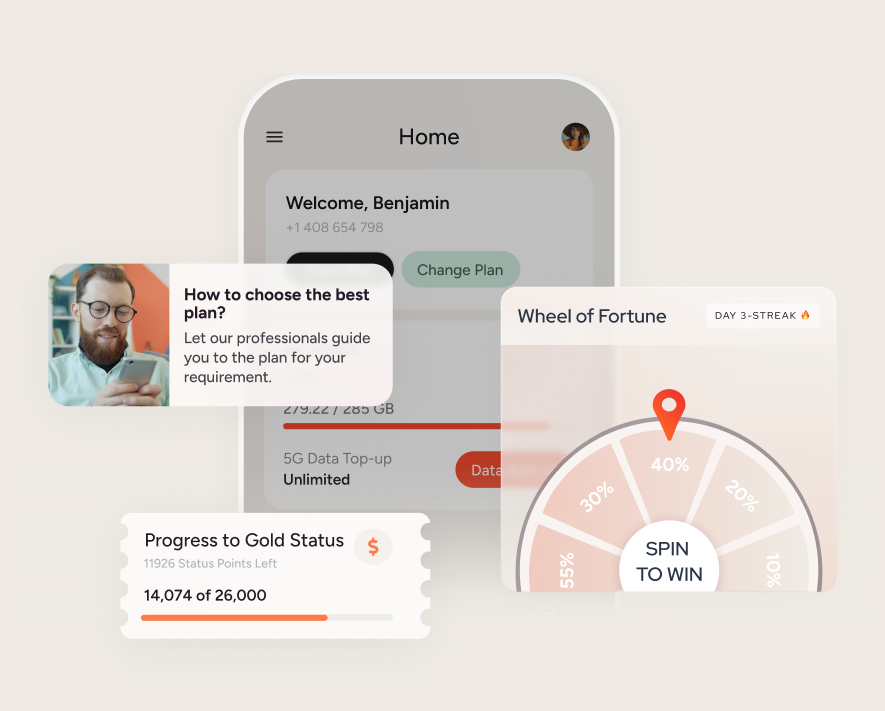
App Frames is a new inline, embedded content channel in Insider One’s App Suite that lets marketing teams design, target, launch, and update native placements inside mobile apps without new engineering builds.
App Frames placements render inline, inside the app layout. They are part of the page or screen itself, not overlays, pop-ups, or system notifications. Once developers register the placements, marketers own every campaign that runs through them in Action Builder.
This is not a subtype of In-App Messages. In-App Messages remain an important overlay channel for moments when you need to interrupt, highlight, or ask for attention. App Frames runs alongside that channel as a persistent, non-intrusive inline presence for promotions, banners, coupon strips, and contextual announcements.
Why app-first teams needed an inline app content channel
For app-first brands, the mobile app is often the primary revenue and engagement engine. Consumers spend most of their mobile time inside apps rather than the browser, which means in-app content is where journeys play out and decisions get made.
Yet embedded app content has traditionally been a development asset. Marketers could request placement changes, but they could not design or configure them directly. Even where inline content existed, marketing teams were limited to swapping values inside fixed slots rather than owning the experience.
That created a structural bottleneck:
- Marketing execution depended on engineering capacity: – Every new banner, offer, or coupon strip required development, QA, and a release
- Inline content lagged behind campaigns in other channels: – Email, SMS, and web could move fast, while app content waited for the next build
- Persistent experiences were hard to iterate: – Adjusting behavior, logic, or coupon rules meant more tickets, not marketer-led experimentation
App Frames is designed to remove that bottleneck by transforming embedded content into a marketer-owned channel.
How App Frames works inside Insider One
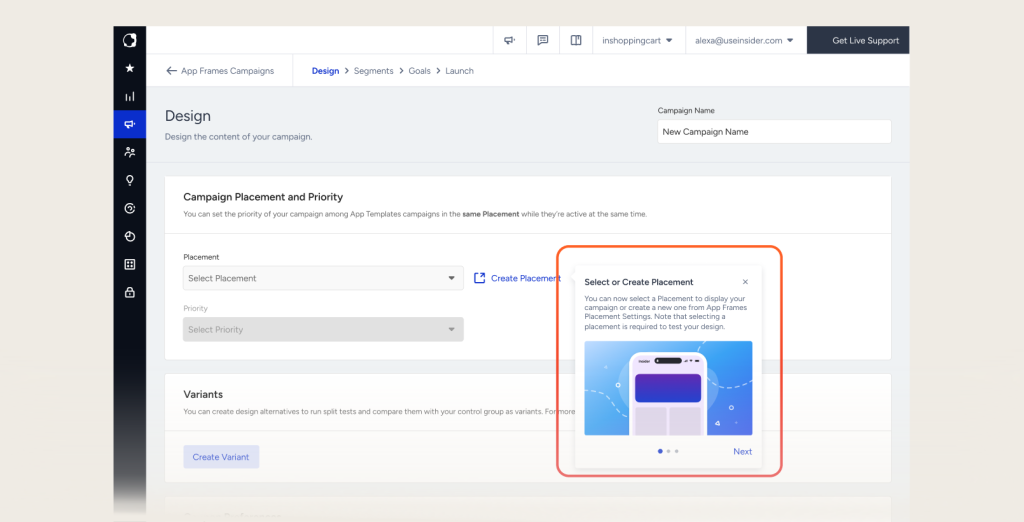
App Frames lives as a net-new channel within the App Suite in Insider One, built and managed directly in Action Builder. It combines a one-time engineering setup with an ongoing marketer workflow.
One-time engineering setup
Engineering teams define and register the App Frames placements once inside the mobile app. They decide where frames can appear and how the app should render them natively inside the layout.
After that initial SDK and placement work, engineering does not need to ship new builds for every campaign. The placements are ready to receive content and logic from marketing.
Marketer-owned five-step build flow in Action Builder
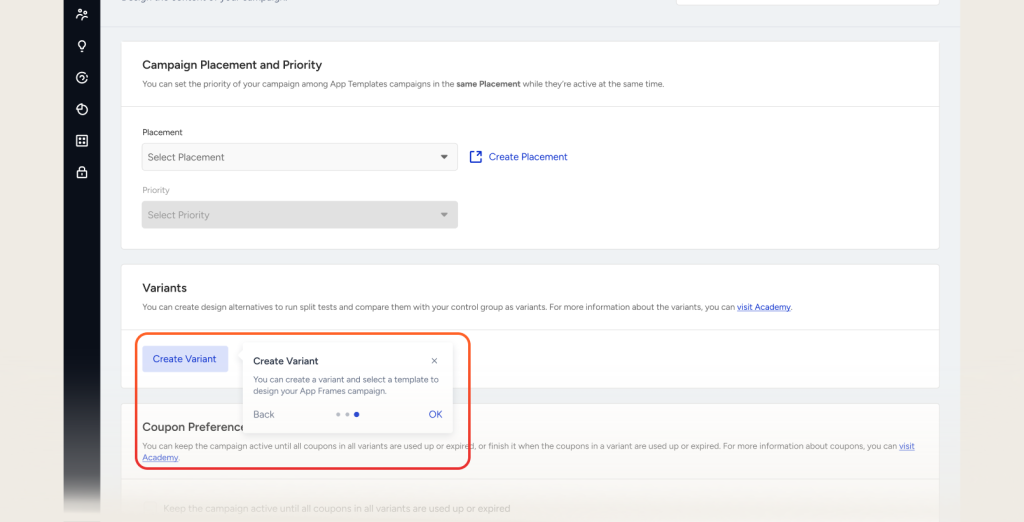
Once placements exist, marketers use Action Builder’s five-step stepper to build and manage App Frames campaigns:
- Design: Configure the inline experience itself. Marketers choose layout, visual elements, coupon components, and promotional content for the frame.
- Segments: Select who should see the placement. Teams use audience, behavioral, and predictive data to target consumers with relevant inline experiences.
- Rules: Define when and how the frame appears. Marketers set placement rules, triggers, and behavioral conditions that govern exposure.
- Goals: Connect the frame to measurable objectives. Teams align App Frames placements with conversion, engagement, or promotion goals.
- Launch: Activate the campaign from Action Builder. Frames go live inside the app layout without a new app release, and marketers can update them anytime.
This workflow keeps the campaign lifecycle entirely inside marketing, while engineering remains responsible for the underlying app.
Core capabilities of App Frames
App Frames is built around three core proof pillars: ownership, native persistence, and promotion depth.
Ownership: engineering once, marketing forever
- Developer-defined placements, marketer-owned campaigns: – Engineering teams register App Frames placements once inside the app. After that, marketers configure and change campaigns in Action Builder without additional builds.
- Full control of behavior, logic, and content: – Marketing teams set the layout, visual elements, segment logic, rules, and goals for each frame. They are no longer limited to swapping values inside fixed slots.
- Faster iteration for app-first programs: – Because changes happen in Action Builder, CRM and lifecycle teams can test new promotions, refine targeting, and adjust behavior in minutes instead of waiting on a release cycle.
Native and persistent exposure inside the app
- Inline by design: App Frames placements render inside the app layout, alongside existing UI components. They feel like part of the app, not a layer on top of it.
- Non-intrusive presence: Frames do not interrupt consumers the way overlays or modal in-app messages can. They are visible as part of the experience, reducing friction while keeping promotions in view.
- Persistent campaign visibility: App Frames placements stay visible for the life of the campaign. Exposure does not depend on notification permissions or a single interaction; consumers see the frame each time they visit the relevant screen.
Promotion depth: it runs the offer, not just the message
The confirmed differentiator for App Frames is its depth for coupon and promotion campaigns.
- Coupon elements: Teams can add coupon components directly into App Frames placements, making promotions native to the app layout.
- Coupon preferences: Marketers configure whether campaigns run until coupons are used or until they expire, giving fine-grained control over promotion behavior.
- Per-variant coupon lists: Each frame can support multiple coupon variants, aligning offers with different segments or product contexts while staying inside a single placement.
- Webhook callbacks for coupon data: Coupon status and usage data can flow back via webhooks, enabling accurate tracking and aligning App Frames with broader performance measurement.
Together, these capabilities let App Frames run the actual offer, not just display promo text.
Types of use cases for App Frames
App Frames is designed for app-first brands across retail, travel, media, and services. The channel supports a wide range of inline experiences that benefit from being native, persistent, and marketer-controlled.
Retail and ecommerce promo surfaces
Retail and ecommerce teams can use App Frames for inline promo banners, countdown offers, and coupon strips on home, category, and cart screens. This keeps promotions visible where consumers are most likely to decide and convert, while letting marketers adjust campaigns without new app builds.
Travel and airlines contextual offers
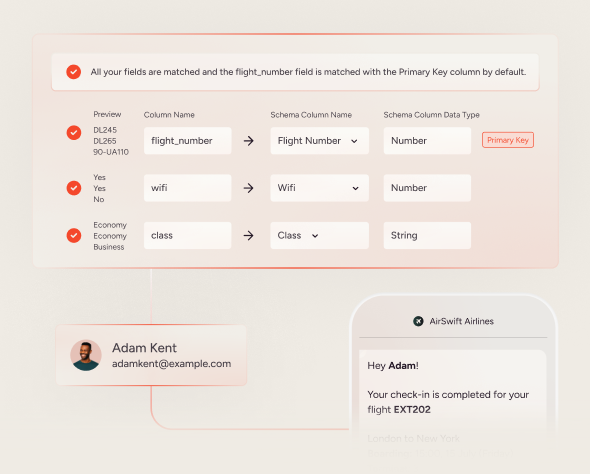
Travel and airline apps often need to surface contextual inline offers and information inside complex journeys, from booking to check-in. App Frames enables these teams to own inline placements for time-sensitive upgrades, ancillary services, or important informational banners, aligned with specific segments and trip stages.
Media and subscription cross-sell zones
Media and subscription services can use App Frames for persistent inline announcements and cross-sell placements. For example, a publisher might run a frame highlighting a premium tier at the top of a content feed, or a streaming app could keep a rotating inline carousel of recommended shows aligned with audience segments.
Services and membership programs
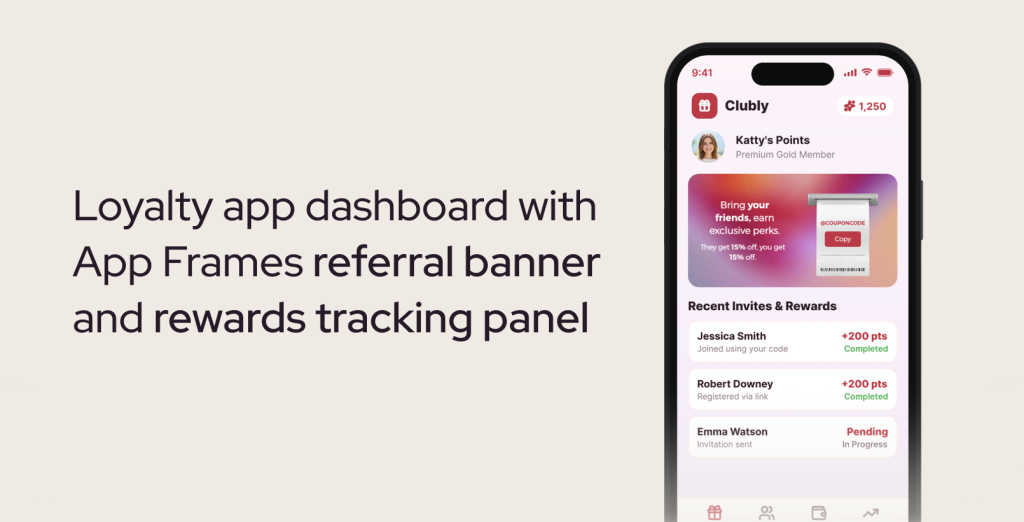
Service brands and membership programs can apply App Frames to loyalty prompts, benefit highlights, and account-related banners. Inline frames can remind consumers of expiring benefits, highlight new features, or surface targeted offers in the account or dashboard sections of the app.
These use cases share a common pattern: campaigns need to be native, targeted, and persistent, and they need to move at marketing speed.
App Frames vs other in-app approaches
App Frames sits alongside other in-app communication methods but plays a different role. It is an inline content channel, not a replacement for overlays or external messaging.
| Criterion | App Frames inline channel | Overlay In-App Messages |
| Placement style | Inline, embedded inside app layout | Overlay or modal on top of the screen |
| Exposure pattern | Persistent for the life of the campaign on relevant screens | Ephemeral, tied to specific events or interactions |
| Consumer experience | Native, non-intrusive presence within the app | Interruptive by design for high-attention moments |
| Ownership model | Engineering sets placements once; marketing runs campaigns in Action Builder | Marketing configures messages; engineering manages overall app behavior |
| Promotion depth | Runs full coupon and promotion logic with preferences, lists, and callbacks | Primarily message delivery with links or calls to action |
App Frames complements existing in-app channels. Overlays remain ideal for announcements that must break through or for flows that require a focused interaction. App Frames becomes the channel for sustained promotional presence and marketer-owned inline experiences.
Components of App Frames
App Frames is built from a small set of clear components that work together to give marketers control while keeping implementation straightforward.
- Registered placements: – The specific inline regions inside the app layout where frames can appear
- Action Builder campaigns: – The configuration objects where marketers design, target, and launch App Frames experiences
- Coupon and promotion logic: – Elements, preferences, lists, and webhook callbacks that control how offers behave inside frames
- Measurement and goals setup: – The goals defined in the stepper that connect frames to performance outcomes
This structure keeps the app experience coherent for consumers while opening up meaningful control for marketing teams.
Types of App Frames placements
Within this channel, teams can shape different placement formats depending on their app layout and journey design.
- Inline banners: Horizontal frames within a feed or page, ideal for promotional headlines and simple offers
- Coupon strips: Compact placements that surface codes or offer status inside key transaction screens
- Countdown blocks: Inline components that communicate time-limited offers or upcoming events
- Contextual info bars: Informational frames that highlight important account, travel, or service updates without interrupting the experience
The exact layout depends on the app’s design system and placement configuration, but in all cases App Frames keeps control with marketing after the initial engineering work.
Getting started with App Frames
App Frames is available as part of Insider One’s App Suite for consumers licensed for mobile app engagement.
For existing consumers, the starting point is a conversation between marketing and engineering teams to define the initial set of App Frames placements and how they should appear inside the app layout. Once those placements are registered, CRM and lifecycle teams can begin building campaigns in Action Builder using the Design, Segments, Rules, Goals, and Launch flow.
If you want to deepen your broader engagement strategy around channels like inline app content, our article on omnichannel marketing automation that drives revenue explores how orchestrated journeys connect app experiences with email, web, and other channels in a unified way.
Not an Insider One consumer yet? Get a demo
FAQ
What makes App Frames a distinct channel from In-App Messages?
App Frames is defined as an inline, embedded content channel that renders placements inside the app layout, while In-App Messages are overlay experiences that sit on top of the screen. App Frames placements are persistent for the life of a campaign, designed to be non-intrusive and always present in key app surfaces. In-App Messages remain valuable for short-lived, interruptive moments such as announcements or prompts. The two channels run alongside each other and serve different engagement jobs.
How much engineering work is required to use App Frames?
Engineering teams are responsible for a one-time setup where they register App Frames placements inside the app and ensure the app can render them natively. After that, marketing teams build, target, and launch campaigns in Action Builder without needing new app releases for each change. This division keeps the app stable and performant while shifting ongoing campaign control to CRM and lifecycle teams.
Can App Frames support complex coupon and promotion campaigns?
Yes. Promotion depth is a core pillar of App Frames. Marketers can add coupon elements directly into frames, configure coupon preferences such as running until codes are used or expired, and manage per-variant coupon lists for different audiences or scenarios. Webhook callbacks provide coupon data back to the stack, helping teams measure performance and align App Frames promotions with their broader marketing and analytics workflows.
How does targeting work for App Frames placements?
Targeting for App Frames is managed in the Segments step within Action Builder. Marketers use audience attributes, behavioral data, and segment logic to determine which consumers see specific frames. This lets teams align inline placements with key lifecycle stages, behaviors, or preferences, ensuring that persistent app promos remain relevant rather than generic.
What kinds of brands and teams should prioritize App Frames?
App Frames is built for app-first brands where the mobile app is a primary engagement and revenue driver. This includes retail and ecommerce, travel and airlines, media and subscription services, and app-based service providers. Within those organizations, CRM, lifecycle, and growth marketing teams benefit most because they gain direct ownership of inline app content, while product and engineering teams retain control over the app itself without owning every promotion.
How do App Frames campaigns fit into an omnichannel strategy?
App Frames gives marketers a native app channel for persistent promos and content, which can then be orchestrated alongside email, SMS, web, and other channels. Because campaigns are configured in Action Builder with goals and targeting, teams can treat App Frames as one more node in their omnichannel programs, ensuring that app experiences reinforce and extend what consumers see in other channels rather than operating in isolation.
What is the best way to start experimenting with App Frames?
A practical starting point is to define a small set of high-impact placements, such as a home-screen promo banner or a cart-level coupon strip, and launch a focused campaign through Action Builder. Marketing teams can then iterate on content, targeting, and coupon preferences to see how persistent inline exposure affects conversion and engagement. Over time, brands can expand App Frames into more screens and scenarios as they build confidence in the channel.

Keep Reading
7 min.

Muharrem Derinkok
4 Jun 2026
11 min.

Chris Baldwin
2 Jun 2026
4 min.
Chris Baldwin
3 Feb 2026