

 Platform Overview

 Integration Hub

 Agent One™

 Agent One Teams™

 Customer Data Management

 Personalization

 Journey Orchestration

 Reporting & Data

 Behavioral Analytics

 Web
Web

 Email
Email

 Site Search

 Conversational CX

 WhatsApp

 Web Push

 InStory

 App
App

 SMS & RCS

 Join the $0 Migration Movement™

 The Insider One Difference

 Compare Vendors

 Switch to Insider One

 Success Story

 Retail & Ecommerce

 Financial Services

 Travel & Hospitality

 Beauty & Cosmetics

 Automotive

 Telecommunications

 Total Economic Impact™ Study

 Blog
Blog

 E-Books & Guides

 Glossary
WhatsApp vs. SMS: What Global Brands Really Need to Know

Updated on 16 Jun 2026
10 min.
Table of Contents
- Summary
- What do brands mean by WhatsApp vs. SMS?
- What key differences drive channel choice?
- How do pricing and ROI compare for WhatsApp and SMS?
- What should brands know about compliance, consent, and account safety?
- How should brands decide between WhatsApp and SMS?
- How does Insider One help brands run WhatsApp and SMS?
- Frequently asked questions
Most Popular
Summary
WhatsApp and SMS each serve different engagement goals: SMS offers unmatched reach and reliability, while WhatsApp enables richer, more interactive customer experiences. The most effective strategy often combines both channels, using customer preferences, message type, and context to deliver the right communication at the right time.
SMS charges per message segment. WhatsApp charges per conversation window.
Most marketing teams treat WhatsApp vs SMS for brands as a binary choice. The real decision isn’t which channel to use. It’s understanding when each one earns its place in your stack. SMS delivers universal reach without requiring an app, making it the default for authentication and time-sensitive alerts.
WhatsApp enables richer, threaded conversations with media and buttons, but only works when your audience has the app and has opted in. Brands that win don’t pick sides. They route intelligently based on audience, use case, and cost.
What do brands mean by WhatsApp vs. SMS?
Most comparisons conflate consumer texting with business messaging infrastructure. They’re not the same thing.
“SMS for brands” means application-to-person messaging through registered sender types. In the US, that requires carrier registration through registered long codes or short codes. “WhatsApp for brands” means the WhatsApp Business API, accessed through a Business Solution Provider (BSP). It requires Meta verification, template pre-approval, and operates on conversation windows.
These architectural differences drive everything that follows: cost, compliance, and engagement dynamics.
How does the WhatsApp Business API differ from the consumer app?
The consumer WhatsApp app is free but manual. The Business API enables automation at scale, with constraints.
Three constraints shape how you plan campaigns:
- Template pre-approval: All business-initiated messages outside a customer-reply window must use approved templates categorized as utility, authentication, or marketing
- Session window: Once a customer replies, you can send free-form messages for a limited time before needing another approved template
- BSP dependency: Brands access the API through partners who add platform fees and may limit features
How do application-to-person SMS, registered long codes, and short codes work?
Application-to-person SMS travels through carrier-approved routes. Your sender type determines throughput and filtering risk.
- Registered long code: Lower cost, moderate throughput, requires brand and campaign registration
- Short code: Higher throughput, better deliverability, longer setup, higher cost
- Long code (unregistered): High filtering risk, not recommended for brand campaigns
If deliverability drops, check registration status and content patterns before assuming carrier issues. Carriers scan for spam triggers like URL shorteners, promotional language, and unregistered senders.
What key differences drive channel choice?
A brand planning a cart abandonment campaign weighs reach, engagement, cost, and compliance differently than one sending OTPs.
| Factor | SMS | Decision implication | |
| Reach | Any phone, no app required | Requires app + opt-in | SMS wins for universal coverage; WhatsApp wins where app penetration is high |
| Engagement | One-way or basic reply | Threaded, rich media, buttons | WhatsApp for conversations; SMS for alerts |
| Cost model | Per message segment | Per conversation window | WhatsApp cheaper for multi-message exchanges |
| Compliance | TCPA/CTIA, carrier filtering | Template approval, quality rating | Different risk profiles; neither is “easier” |
How do reach and adoption vary by region and audience?
SMS reaches any mobile device regardless of app installation or internet access. WhatsApp requires the app, which has over 3 billion users globally, and a data connection. Where your audience lives determines the right default.
| Region | WhatsApp penetration | SMS reliability | Default recommendation |
| North America | Moderate | High | SMS primary, WhatsApp for engaged opt-ins |
| Western Europe | High | High | WhatsApp primary, SMS fallback |
| Latin America | Very high | Variable | WhatsApp primary |
| Southeast Asia | Very high | Variable | WhatsApp primary |
| Middle East/Africa | High | Variable | WhatsApp primary, SMS for feature phones |
“Reach” isn’t just technical capability. It’s permission-adjusted. A channel with high penetration but low opt-in rates delivers less effective reach than one with moderate penetration and high consent.
Notably, Insider One can personalize channel selection and messaging for anonymous users based on behavioral signals, before a user ever identifies, giving brands a competitive advantage in early-funnel engagement. If you want to see what intelligent routing looks like in practice, book a demo, and we’ll walk through a WhatsApp plus SMS decision flow built for real-world consent constraints.
How do engagement and conversation depth differ?
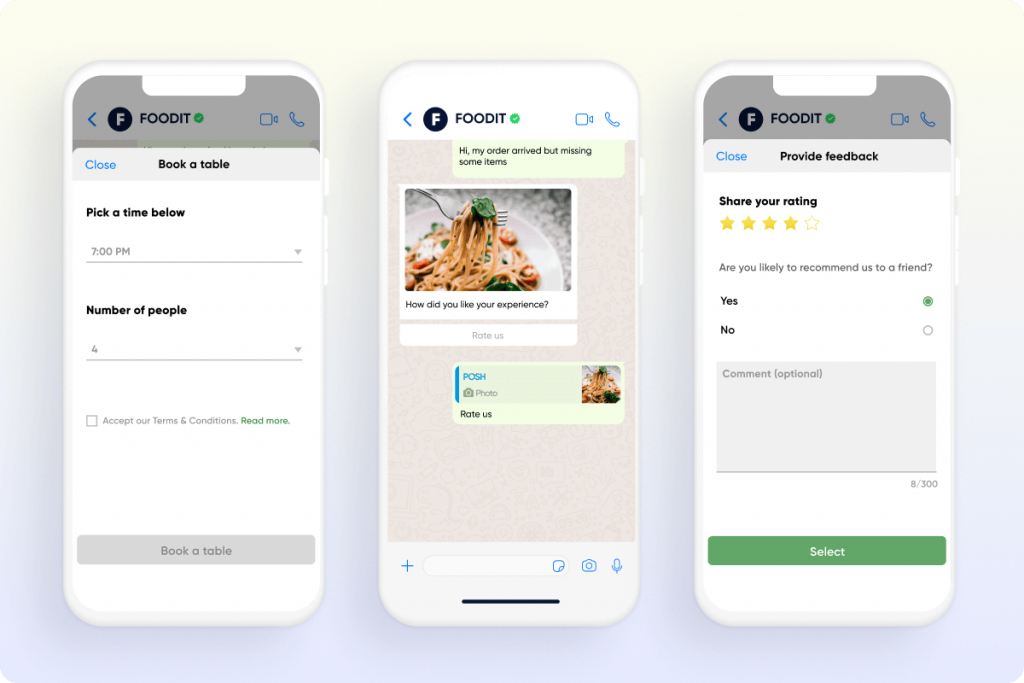
WhatsApp messages appear in a personal inbox alongside friends and family, with read receipts and threaded replies. This often drives higher engagement in conversational use cases, though results vary by audience and region.
The engagement advantage comes with constraints. You can only send free-form messages during a session window after the customer replies. Outside that window, you need pre-approved templates.
For brands building conversational experiences, WhatsApp’s threading creates continuity. For brands sending one-way alerts, SMS’s simplicity is often enough.
What features and interactivity does each channel support?
WhatsApp supports buttons, quick replies, product catalogs, and media attachments. SMS limits you to plain text links.
| Feature | SMS | Best for | |
| Buttons/quick replies | Yes | No | Reducing friction on CTAs |
| Product images | Yes | No | Cart recovery, browse abandonment |
| Threaded replies | Yes | Limited | Support, consultative flows |
| Character limit | None | Limited per segment | Long-form content |
A WhatsApp message with a product image and “Complete purchase” button reduces friction for cart abandonment. For OTPs, a plain SMS code is faster and more universal. If you want to compare real WhatsApp and SMS experiences side by side before you commit, explore the product demo hub and see what “rich” actually changes.
How do pricing and ROI compare for WhatsApp and SMS?
“WhatsApp is cheaper” is often true but not always. The answer depends on message volume, exchange frequency, and region.
How does each pricing model work?
SMS pricing bills you per message segment. Longer messages can span multiple segments. Carrier surcharges and platform fees add to the base rate.
WhatsApp pricing bills per conversation, not per message. A conversation is a time-limited window that starts when you send a business-initiated message or when a customer messages you. Template categories have different rates: authentication and utility are cheaper than marketing. Within the window, you can send unlimited messages at no additional cost.
What do the cost scenarios look like in practice?
OTP and authentication: SMS costs per message segment with universal reach. WhatsApp uses an authentication template at a lower rate than marketing, but requires the app. Similar cost per message; SMS wins on reach.
Cart abandonment: SMS costs per message segment depending on personalization. WhatsApp uses a marketing template with product image and button. If the user replies, follow-up messages are free within the conversation window. For multi-touch recovery, WhatsApp is often cheaper.
Pairing cart recovery with Insider One’s Unified Customer Profile ensures each message reflects the user’s full behavioral history, not just the last cart event, maximizing relevance and conversion across both channels.
Post-purchase support: SMS bills each reply as a new segment with limited context. WhatsApp covers the entire exchange in one conversation window with threaded context. For multi-message exchanges, WhatsApp is significantly cheaper.
How can brands optimize costs on each channel?
For SMS:
- Keep messages short to avoid segment multiplication
- Use branded short links from your own domain to reduce filtering risk
- Remove unengaged subscribers to stop paying for messages that won’t convert
For WhatsApp:
- Batch related messages within the conversation window instead of opening new conversations
- Use utility templates for transactional messages; reserve marketing templates for promotional content
- Design flows that encourage customer replies to open free-form windows
- Monitor quality rating and pause campaigns before hitting low-quality thresholds
These optimizations only pay off when they’re automated end to end. Book a demo to see how teams set pricing-aware routing, window-based batching, and fallback logic without turning every campaign into an ops project.
What should brands know about compliance, consent, and account safety?
Both channels require explicit consent. The enforcement mechanisms differ.
SMS compliance in the US is governed by the Telephone Consumer Protection Act (TCPA) and Cellular Telecommunications Industry Association (CTIA) guidelines, enforced through carrier filtering and litigation risk. WhatsApp compliance is governed by Meta’s Business Messaging Policy, enforced through template rejection and quality rating penalties that can restrict or ban your account.
What should US brands include in an SMS compliance checklist?
- Explicit opt-in: Collect consent with clear disclosure of message frequency and content type
- Opt-out honoring: Process STOP requests immediately; confirm opt-out
- HELP keyword: Respond with support contact information
- Quiet hours: Avoid sending during late-night or early-morning hours in the recipient’s local time zone
- Sender identification: Include your brand name in every message
- Record retention: Maintain consent records for the duration of the subscriber relationship
Example opt-in language: “Reply YES to receive order updates and promotions from [Brand]. Msg frequency varies. Msg and data rates may apply. Reply STOP to cancel, HELP for help.”
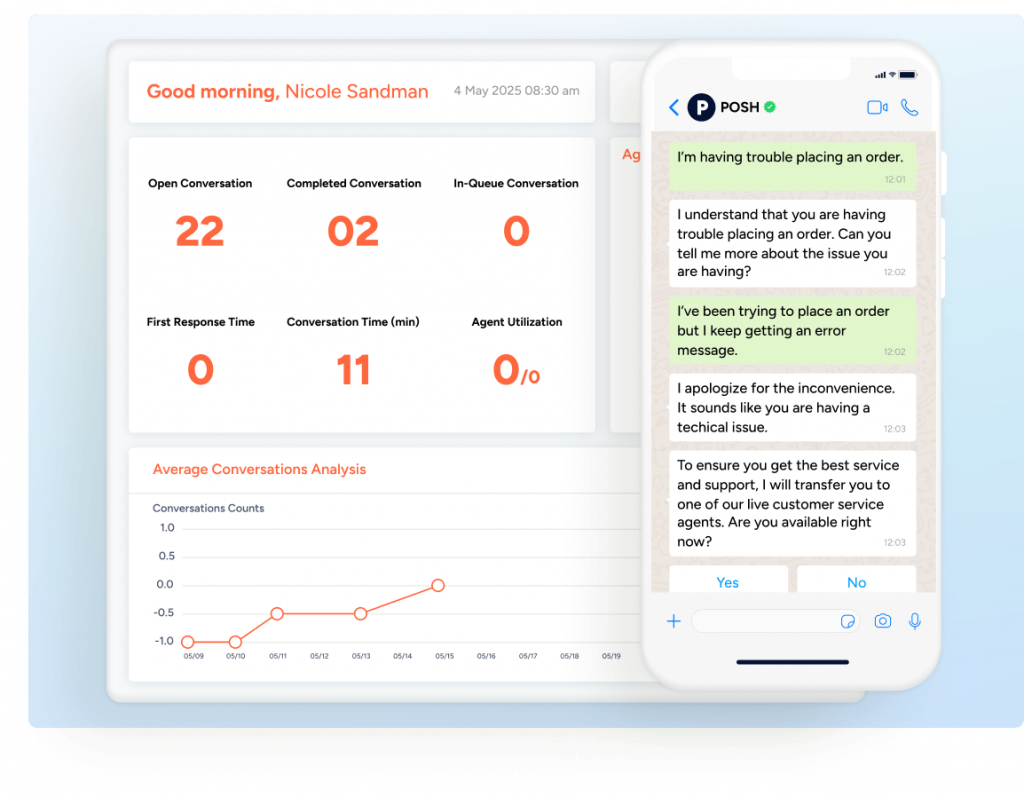
How do WhatsApp template approval and quality rating work?
WhatsApp enforces policy through two mechanisms.
Template approval: Submit templates in advance. Approval timelines vary by market and template type. Common rejection reasons include promotional language in utility templates, missing opt-out instructions, and unclear business purpose. Write templates as if a reviewer unfamiliar with your business will read them.
Quality rating: Meta assigns a quality rating (green/yellow/red) based on user feedback and block rates. Low quality restricts your messaging limits. Sustained low quality can ban your account. Early warning signs include rising block rates and declining response rates.
Because Insider One is an official Meta Business Solution Provider (BSP), the platform accelerates template workflows, often reducing the standard WhatsApp template validation process down to just 3 to 4 minutes.
If you’re trying to scale without risking bans or filtering, head to the product demo hub to see how consent records, template status, and quality signals can live in the same workflow.
How should brands decide between WhatsApp and SMS?
If your audience doesn’t have WhatsApp or hasn’t opted in, the engagement advantages are irrelevant. Start with reach, then layer engagement needs and cost sensitivity.
What does the decision matrix look like by use case?
| Use case | Primary channel | Fallback | Rationale |
| One-time password (OTP)/multifactor authentication (MFA) | SMS | Universal reach, no app dependency | |
| Order confirmation | Either | SMS | Transactional, low interactivity needed |
| Cart abandonment | SMS | Rich media and buttons improve recovery | |
| Post-purchase support | None | Threading and media enable resolution | |
| Flash sale/promotion | Depends on region | None | WhatsApp in high-penetration regions; SMS in the US |
| Appointment reminder | SMS | Universal reach for time-sensitive alerts |
What channel recommendations make sense by industry?
- Direct-to-consumer (DTC) ecommerce: WhatsApp for cart recovery, post-purchase engagement, back-in-stock alerts, and price drop notifications where penetration is high; SMS for order confirmations, universal reach, and flash sale countdowns tied to real-time inventory
- Financial services: SMS for OTPs and authentication due to universal reach and regulatory familiarity; WhatsApp for account support where customers prefer messaging
- Travel and hospitality: WhatsApp for pre-stay communication and in-trip support; SMS for booking confirmations and time-sensitive alerts
- Healthcare: SMS for appointment reminders due to universal reach and Health Insurance Portability and Accountability Act (HIPAA)-familiar workflows; WhatsApp for patient engagement in regions where it’s the primary channel
If you want to turn this matrix into an executable routing policy by region, use case, and consent state, book a demo, and we’ll map it to your stack in one working session.
How does Insider One help brands run WhatsApp and SMS?
Without effective cross-channel campaign management, running two distinct messaging channels leads to fragmented data and disjointed customer experiences.
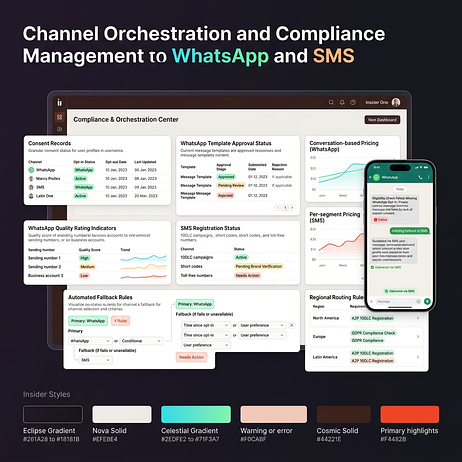
- Unified orchestration: Run WhatsApp and SMS from a single canvas in Architect, Insider One’s customer journey orchestration solution, with AI-powered Smart Routing that selects the optimal channel per user in real time, leveraging consent, behavioral history, and predictive signals through Next-Best-Channel intelligence
- Template management: Submit, track, and version WhatsApp templates with approval status visibility, with built-in Generative AI copywriting assistance to create compliant, high-converting template variations at scale, reducing time-to-market for marketing teams
- Quality monitoring: Surface quality rating changes and block rate trends before they become account restrictions
- Consent management: Maintain channel-specific consent records with audit-grade traceability for GDPR, KVKK, and TCPA compliance, providing regulatorily defensible consent history that goes beyond basic record-keeping
- Fallback logic: Configure automatic SMS fallback when WhatsApp delivery fails or the user hasn’t opted in
- AI-powered segmentation: Use Sirius AI to define WhatsApp and SMS audience segments through natural language prompts, eliminating manual query-building for complex audience definitions like “opted-in WhatsApp users in Germany with 2+ past purchases”
Want to see the orchestration layer in action, with routing, templates, consent, and fallback in one place? Start in the product demo hub and pick the walkthrough that matches your use case.
Frequently asked questions
WhatsApp charges per conversation window, so multi-message exchanges like support or cart recovery are often cheaper. SMS charges per segment, so single-message alerts may cost less. Factor in platform fees from your provider when comparing.
Use both when your audience has mixed channel preferences or when you need fallback logic. Route to WhatsApp for users who opted in and have the app; fall back to SMS for universal reach.
Sustained low quality ratings from user blocks and complaints trigger account restrictions or bans. Set clear expectations at opt-in, respect frequency preferences, and make opt-out easy to protect your rating.
Unregistered long-code senders, content triggering spam filters, incorrect phone number formatting, or carrier-level blocks. Check registration status and review message content for spam triggers before escalating to your provider.

Keep Reading
7 min.

Muharrem Derinkok
4 Jun 2026
11 min.

Chris Baldwin
2 Jun 2026
4 min.
Chris Baldwin
3 Feb 2026