

 Platform Overview

 Integration Hub

 Insider One AI™

 Customer Data Management

 Personalization

 Journey Orchestration

 Reporting & Data

 Behavioral Analytics

 Web
Web

 Email
Email

 Site Search

 Conversational CX

 WhatsApp

 Web Push

 InStory

 App
App

 SMS & RCS

 Join the $0 Migration Movement™

 The Insider One Difference

 Compare Vendors

 Switch to Insider One

 Success Story

 Retail & Ecommerce

 Financial Services

 Travel & Hospitality

 Beauty & Cosmetics

 Automotive

 Telecommunications

 Total Economic Impact™ Study

 Blog
Blog

 E-Books & Guides

 Glossary
In-App Messaging Personalization That Engages Without Triggering Uninstalls

Updated on 14 Sep 2026
8 mins.
Table of Contents
Most Popular
Summary
- More targeting doesn’t guarantee less irritation: real relevance beats surface-level personalization like inserting a first name into a generic segment blast
- Mutes, dismissals, and opt-outs can reduce the audience available for future campaigns, so teams should monitor them alongside engagement
- Real-time behavioral triggers tied to in-session intent outperform calendar-based batch sends because they respect what the user is actually doing right now
- Coordinated contact policies, configured through unified profiles, audience conditions, and journey logic, can help reduce repeated offers across push, in-app, and email
- Track a two-sided scorecard: pair opens, click-through rate, and conversion with available disengagement events, such as mutes, dismissals, and opt-outs, when those events are tracked
Lifecycle marketers keep hearing the same brief: personalize more, engage more, while teams may also observe uninstalls alongside open rates.
In-app messaging personalization is the practice of tailoring contextual messages, banners, surveys, or rich-media prompts to an individual user’s behavior, preferences, and context rather than sending the same message to a broad segment.
This piece is for lifecycle marketers, customer relationship management managers, and product marketers at mid-to-large B2C apps in retail, fintech, travel, and gaming who own in-app engagement and retention.
You’ll leave with a framework for measuring relevance and available annoyance signals side by side, a trigger model built on intent rather than calendars, and a coordinated contact-policy approach across the channels a user touches.
The annoyance paradox: When personalization backfires
More targeting doesn’t automatically mean less irritation. Teams can optimize for opens and click-through rate while also observing uninstalls and notification opt-outs; those observations alone do not establish that a given campaign caused them. A well-targeted message sent at the wrong moment or too often can still read as noise. The gap between engagement lift and rising annoyance signals is the paradox: teams can hit segmentation goals while still needing to investigate whether channel reach is changing.
The root issue is confusing surface-level personalization with true one-to-one relevance. Dropping a first name into a subject line or targeting “all users in Germany” feels personalized on the surface, but users experience it as the same generic blast with a label attached.
Genuine one-to-one personalization accounts for what a specific person did in their last session, what they’ve already dismissed, and whether they’ve shown any intent signal that makes this message worth sending at all. Without that distinction, “personalized” campaigns keep generating the exact fatigue they were built to avoid.
What message fatigue actually costs your app
Loss of access to a push or in-app channel can reduce reach beyond one ignored send. If a user mutes notification permission or disables a channel, that choice can persist until the user chooses to re-enable it, limiting future opportunities to engage through that channel.
Teams should treat irrelevant messages as a potential reach risk and monitor available signals accordingly.
That potential loss of reach connects directly to retention planning. When a user uninstalls early, they leave before reaching activation milestones that can support long-term value. Disabled notifications can have a smaller version of that effect: the user stays installed but may be unreachable through a channel the team planned to use.
- A muted push channel may require a deliberate re-permission flow before it can be used again
- Users who opt out of one channel may warrant more careful contact policies on the channels that remain
- Early uninstalls remove users before onboarding or activation campaigns have a chance to work
- Reduced reach can affect future sends, not just the campaign associated with an opt-out
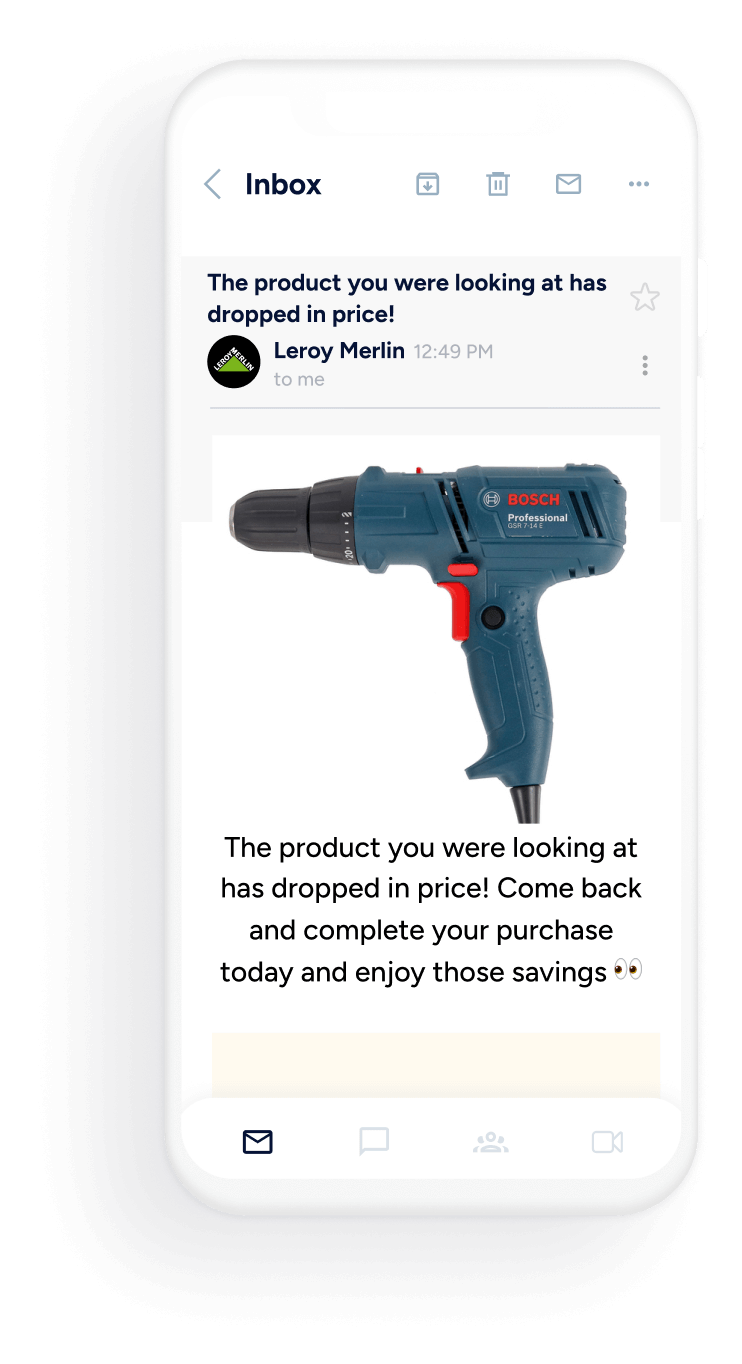
For example, Leroy Merlin used Architect to move away from generic batch campaigns and toward journeys built on individual behavior; the linked customer story provides the approved implementation context.
The lesson generalizes beyond one retailer: relevance-driven orchestration can help teams make each interaction more useful, not only pursue an immediate conversion.
Building a relevance-first trigger framework
Real-time behavioral triggers tied to in-session intent can be more relevant than calendar-based batch sends when they respond to what a user is doing right now instead of guessing at what they might want on a fixed schedule.
A browse-abandonment prompt sent while a user is still active in the app, referencing the product or category they viewed, can feel more useful than the same offer delivered two days later as part of a scheduled blast.
Building that kind of framework starts with combining zero-party preference data, meaning information users explicitly tell you about their interests or communication preferences, with observed behavioral signals such as browsing history, session frequency, and past response to messages.
In retail, this can support product-discovery prompts; in fintech, onboarding or educational prompts; in travel, itinerary or price-alert engagement; and in gaming, progression or event engagement.
Insider One’s Architect supports trigger-based cross-channel journeys that use unified-profile attributes, behaviors, and interaction history to determine the next step rather than assuming every user follows the same fixed sequence.
- Trigger install and onboarding messages based on how a user actually engages in their first session, not a fixed day-count
- Use browse abandonment signals, personalizing the message to the specific product or category the user viewed
- Reserve a second interaction step for users who did not respond to the first message, rather than repeating the same content
- Let zero-party preference data decide whether a message should be sent at all, not only what it should say
The critical shift is treating “should we send this” as its own decision, separate from “what should we say.” To support that decision, integrate the Mobile SDK, identify users with available identifiers, and capture meaningful behavioral and custom events in real time for segmentation and journey logic.
A relevance-first framework can use those behavioral and preference signals to hold or delay low-value messages instead of defaulting to volume.
Frequency capping and cross-channel orchestration
Cross-channel contact policies can help teams avoid sending the same offer through push, in-app, and email in a short period when they are configured through audience, event, and journey logic. Most fatigue problems are not caused by any single channel sending too often; they can arise when channels operate independently and repeat a similar message hours apart.
Solving that requires orchestration at the customer level, not the campaign level. Although a unified Customer Data Management layer may be part of a broader data strategy, Insider One’s documented unified profiles and multiple identifiers can recognize users across sessions and devices to support coordinated audiences and contact policies across web and app.
When a higher-priority message, such as a fraud alert or a limited-time cart reminder, is queued for a user, teams should design journey rules that delay or exclude lower-priority promotional sends rather than delivering them on top of it.
Setting caps that actually hold
Effective contact policies should be designed and reviewed across the channels involved rather than managed as isolated campaign rules:
- Define a maximum number of marketing touches per user per day across push, in-app, and email where the journey design supports it
- Rank message types by priority so teams can design transactional and time-sensitive messages to take precedence over promotional ones
- Use journey rules to delay or exclude lower-priority promotional sends when a higher-priority message is already planned
- Review contact-policy thresholds by segment, since highly engaged and lapsing users may have different communication preferences
Insider One’s Journey Orchestration, can coordinate cross-channel journeys using unified-profile attributes, audience conditions, and event logic to reduce the risk of a discount reminder in email colliding with the same offer in-app.
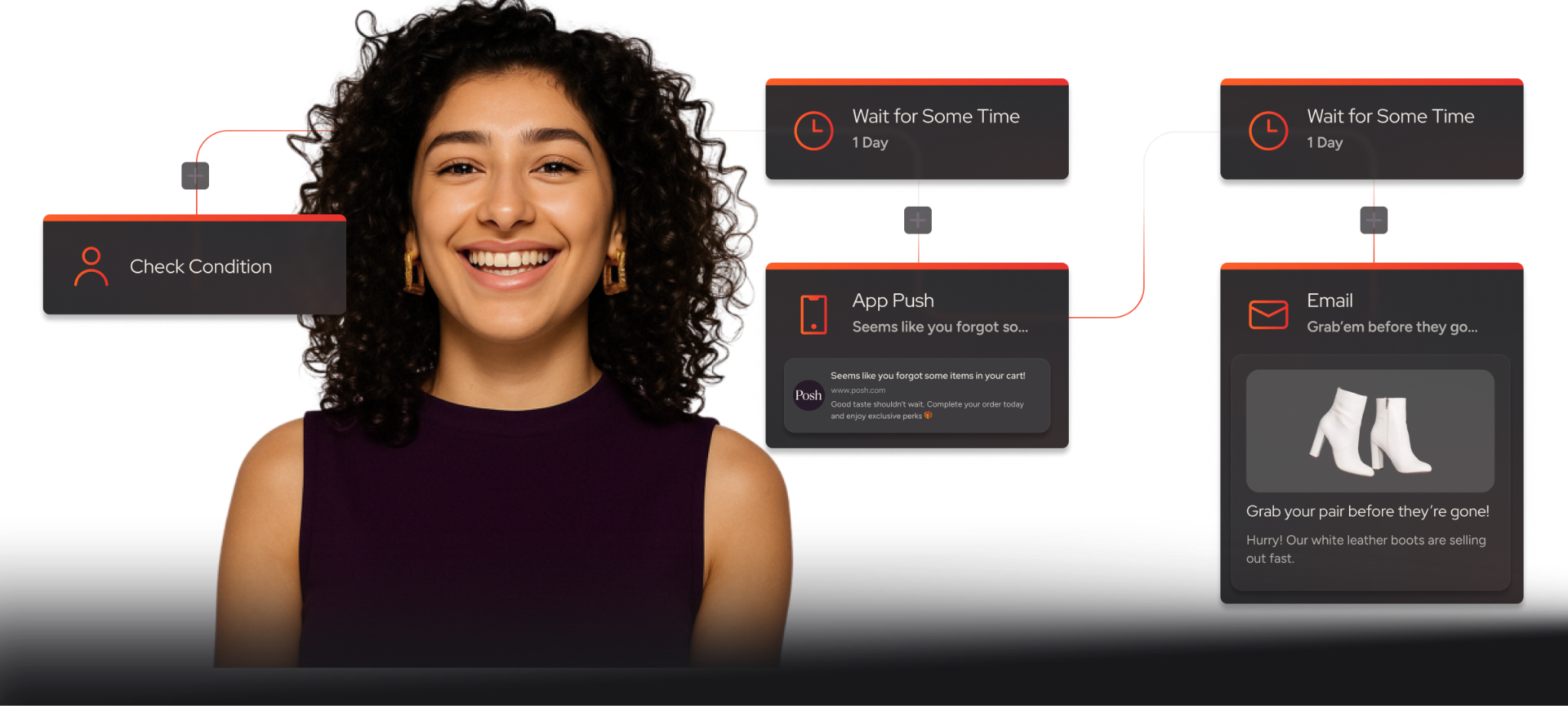
Consistent identifiers across web and app help connect a person’s activity across sessions and devices, making coordinated personalization more practical.
Measuring what matters: the two-sided engagement scorecard
Opens, click-through rate, and conversion tell you whether a message worked. They don’t tell you whether it cost you the channel.
A two-sided scorecard pairs traditional engagement metrics with available disengagement signals, such as mute rate, dismiss rate, and opt-out rate when those events are configured and tracked, so changes in sends and available disengagement signals can be reviewed together rather than treated as separate outcomes.
Tracking annoyance signals with the same rigor as engagement metrics changes how teams evaluate a campaign. A message that lifts click-through rate by a wide margin but also lifts dismiss rate for that segment isn’t a win; it’s a trade that needs to be weighed explicitly rather than celebrated on the surface metric alone.
Where campaign data and relevant disengagement events are configured, Reporting And Data can help lifecycle teams review available analytics; teams should confirm the specific dashboard views and events enabled in their implementation.
- Pair open rate, click-through rate, and conversion with mute rate, dismiss rate, and opt-out rate when those events are available and tracked for the campaign
- Flag any campaign where annoyance signals rise faster than engagement gains, even if headline metrics look strong
- Run A/B tests on frequency and timing, not only creative, since a well-written message sent too often still fatigues a segment
- Review contact-policy thresholds by segment rather than applying one global cap, since communication preferences and observed responses may differ between highly engaged and lapsing users
Continuous testing matters more than any single benchmark. For example, Garanti BBVA used InStory to deliver richer, more contextual mobile content; before publication, teams should verify the linked customer-story details and the formats, timing, and measurement available in their own implementation.
Insider One supports A/B testing of mobile content, including in-app messages and campaign creatives; rich media, action buttons, deep links, and AI-powered recommendations can be used in relevant in-app experiences, while App Cards offer a persistent alternative for users who may be sensitive to interruptive prompts.
Conclusion
Personalization that only chases opens and clicks is measuring half the picture. Pairing engagement metrics with available annoyance signals, such as tracked mutes, dismissals, and opt-outs, gives lifecycle teams a fuller scorecard for whether messaging is becoming more relevant or simply getting louder. Relevance-first triggers, coordinated contact policies, and continuous cadence testing can help teams protect the channels they have worked to build.
To evaluate how Architect and Customer Data Management may relate to your use case, alongside Insider One’s documented unified-profile and identity capabilities, book a personalized demo to review your goals, data requirements, and implementation constraints with the Insider One team.
Frequently Asked Questions
It’s the practice of tailoring in-app notifications, banners, and prompts to an individual user’s behavior, preferences, and real-time context instead of sending the same message to a broad segment. Done well, it decides both what to say and whether to say anything at all, based on signals like browsing history and prior response.
Frequency capping sets limits on how many messages a user receives during a defined period. When teams configure cross-channel contact policies through unified profiles, audience conditions, and journey logic, they can reduce repetitive overlap between push, in-app, and email without assuming that one cap automatically fits every user or channel.
When they are tracked, mute rate, dismiss rate, and opt-out rate can be useful annoyance signals alongside traditional engagement metrics like opens and click-through rate. A campaign that lifts clicks while also lifting these signals for the same segment represents a trade-off worth flagging, not an unqualified win.
Basic segmentation groups users by shared traits, like location or a first name, and sends everyone in that group the same message. True uses individual behavior, zero-party preference data, and in-session intent to decide content and timing for each user, which can help teams reduce irrelevant contact when implemented thoughtfully.
Frequency and timing deserve the same continuous testing rigor as creative, because communication preferences and observed responses can vary by segment and change over time. Running ongoing A/B tests on cadence, not just message content, helps teams adjust their contact policies as available engagement and disengagement signals change.

Keep Reading
7 min.

Muharrem Derinkok
4 Jun 2026
11 min.

Chris Baldwin
2 Jun 2026
4 min.
Chris Baldwin
3 Feb 2026