

 Platform Overview

 Integration Hub

 Agent One™

 Agent One™ Teams

 Customer Data Management

 Personalization

 Journey Orchestration

 Reporting & Data

 Behavioral Analytics

 Web
Web

 Email
Email

 Site Search

 Conversational CX

 WhatsApp

 Web Push

 InStory

 App
App

 SMS & RCS

 Join the $0 Migration Movement™

 The Insider One Difference

 Compare Vendors

 Switch to Insider One

 Success Story

 Retail & Ecommerce

 Financial Services

 Travel & Hospitality

 Beauty & Cosmetics

 Automotive

 Telecommunications

 Total Economic Impact™ Study

 Blog
Blog

 E-Books & Guides

 Events

 Glossary
SMS Integrations That Connect Your MarTech Stack

Updated on 24 Sep 2026
9 min.
Table of Contents
Most Popular
Summary
SMS integrations connect your messaging platform with the rest of your tech stack, enabling automated, personalized campaigns powered by real-time customer data. The best integrations sync consent, unify customer profiles, and are easy to deploy.
SMS integrations connect your messaging platform to the rest of your stack. Most teams treat them like plumbing when they should be treating them like strategy. When your ecommerce platform, CRM, and helpdesk all feed real-time data into your text campaigns, you stop sending generic blasts.
You start sending personalized messages that feel like they know the customer. The difference shows up fast in conversion rates, repeat purchases, and the complaints you stop getting.
What are SMS integrations?
Teams often mix up the terminology. They confuse integrations with APIs and gateways, then pick the wrong approach for their situation.
An SMS integration is the connection between a text messaging platform and your other business systems. This includes ecommerce platforms, customer relationship management (CRM) tools, and helpdesks. The connection enables automated, data-driven messaging based on customer actions.
You should distinguish this from related terms:
- SMS API: A programmatic interface developers use to send and receive messages from custom applications
- SMS gateway: The infrastructure layer that routes messages to carrier networks
- Communications platform as a service (CPaaS): A broader category that includes SMS APIs alongside voice, video, and chat
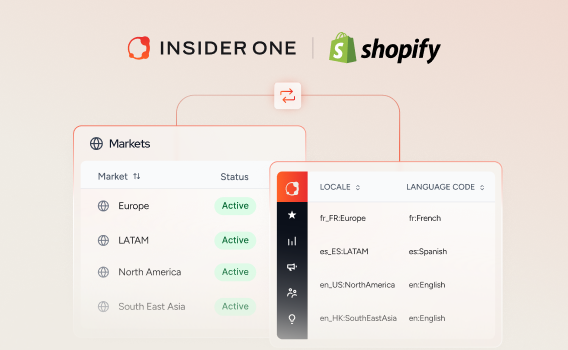
Each approach fits different situations. Native integrations work best when your team lacks developers, you’re using a major platform like Shopify or HubSpot, and you need to launch within days. You’ll sacrifice some customization and depend on the app’s feature roadmap.
Middleware tools like Zapier fit when you need to connect two systems that don’t have a native option and your workflows stay simple. Latency becomes an issue. Error handling is limited, and costs scale with volume.
Custom APIs make sense when you need full control over message timing, content logic, and data payloads. You’ll need engineering resources and ongoing maintenance capacity.
| Approach | Best for | Tradeoff |
| Native app | Fast launch, no-code teams | Limited customization |
| Middleware | Simple connections, no native option | Latency, scaling costs |
| Custom API | Full control, complex logic | Dev resources required |
How do you implement SMS integrations without silos?
A marketing team launches an abandoned cart text flow. The messages fire even after customers complete their purchases. Why? The integration doesn’t sync order status in real time.
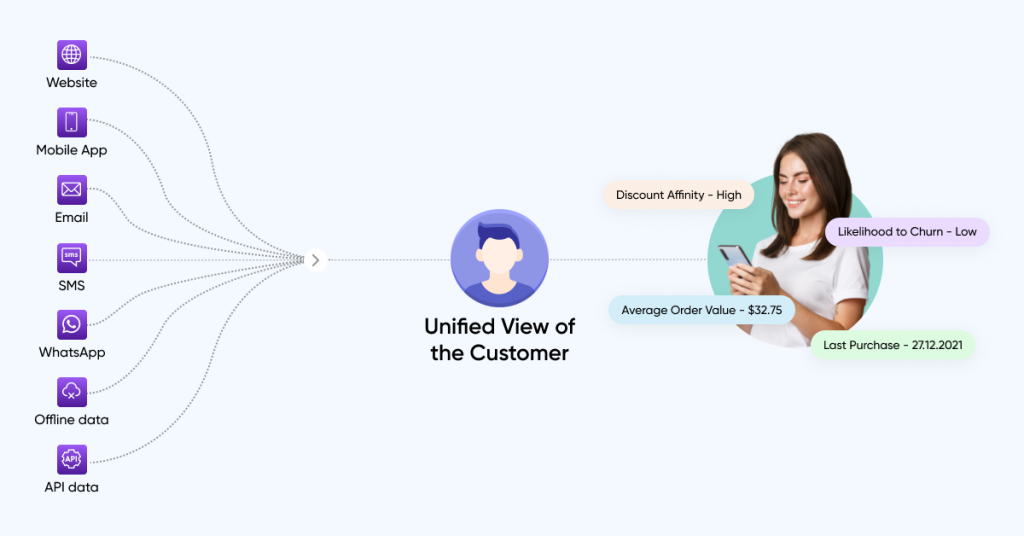
This is the silo problem. The goal isn’t just connecting SMS to other tools. You need bidirectional data flow so every system shares a unified customer profile.
For native app installation:
Start by finding the app marketplace or integration directory for your SMS platform. Install the connector and authenticate using OAuth or an API key.
Map your data fields to determine which customer attributes, events, and consent flags sync between systems. Configure event triggers for actions like checkout started, order completed, or support ticket opened. Test with a small segment before rolling out to your full audience.
For middleware setup:
Define the trigger event in your source system first. Map fields to the SMS platform’s required schema, then add filters to prevent duplicate sends, such as only firing if consent equals true.
Set up error notifications, so you know when syncs fail. Monitor for latency. Middleware adds a delay that can break time-sensitive flows like one-time passwords.
For custom API implementation:
Work with engineering to define the event payload structure. Build webhook listeners or polling jobs to capture events, and implement retry logic and idempotency to handle failures gracefully. Log all sends for compliance and debugging. Create a rollback plan if the integration causes unintended behavior.
Before you go live, run through this checklist:
- Consent status syncs bidirectionally
- Purchase suppression logic prevents post-conversion sends
- Error handling and monitoring are active
- Test messages fire correctly for each trigger
- Frequency caps prevent over-messaging
Native apps fall short when you need custom logic the app doesn’t support. Middleware breaks down when latency matters, like OTP delivery. Custom APIs become a burden when you lack ongoing engineering capacity to maintain them.
You can explore Insider One’s integrations to see how native connections simplify this process. Architect, Insider One’s customer journey orchestration solution, handles the journey logic across channels.
If you want to see what “bidirectional and real-time” looks like in practice, book a demo and we’ll walk through an end-to-end SMS flow with suppression, consent, and monitoring built in.
Which SMS integrations drive results?
Not all integrations deliver equal value. The ones that matter most connect SMS to the systems where customer intent and context actually live.
How do ecommerce platforms connect to SMS?
Ecommerce platform integrations are the highest-impact category for most retail and direct-to-consumer brands. Platforms like Shopify, Magento, and BigCommerce hold purchase history, cart contents, and browsing behavior. This data makes your text messages relevant.
With that catalog and inventory data flowing in, Architect can trigger the SMS moments that convert best: back-in-stock alerts when a watched item returns, price-drop texts when something a shopper viewed gets cheaper, and low-inventory nudges that add genuine urgency, all fired automatically off real-time events rather than batch exports.
For abandoned cart recovery, where most online carts are abandoned before completing checkout, trigger the flow using the checkout started event rather than the cart created. Cart created fires too early and captures low-intent users.
Time your first message soon after abandonment, then send a second message later if they haven’t purchased. Exclude users who complete their purchase before the message fires. Include the product name, an image if you use rich communication services (RCS), and a deep link back to their cart.
Back-in-stock and price drop alerts work differently. Trigger these when an inventory updated or price changed event matches a user’s wishlist or browse history. Send quickly after the event to capture urgency, and exclude users who already purchased the item.
Order and shipping updates are straightforward. Trigger on order confirmed, order shipped, and out for delivery events. Include the order number, a tracking link, and the estimated delivery date.
Mobile app integrations follow similar patterns but trigger from in-app events rather than web events. You can learn more about platform-specific capabilities on Insider One’s SMS channel, or jump into the product demo hub to see how these ecommerce triggers turn into journeys you can launch without waiting on engineering.
How do CRM and customer data platform systems unify SMS data?
A proper SMS CRM integration unlocks personalization beyond transactional triggers. These systems hold lifecycle stage, lead score, engagement history, and consent status.
Lifecycle-triggered campaigns fire when a stage changes. A prospect becomes a customer. An active user becomes at-risk. Tailor the message content to their specific stage: welcome series for new buyers, win-back offers for lapsing users. Respect their channel preferences and engagement recency.
Consent synchronization is where most teams stumble. Your CRM or customer data platform (CDP) must serve as the source of truth for SMS opt-in and opt-out status. Sync this bidirectionally. If a user texts STOP, that status must update in your CRM immediately. When consent fails to sync, you risk sending messages to unsubscribed users.
For field mapping, you need:
- Customer ID as your deduplication key
- Phone number in international format
- Opt-in status and timestamp
- Lifecycle stage or segment membership
- Last engagement date for frequency capping
Native CDP platforms eliminate the need for a separate integration because the customer profile and messaging orchestration live in the same system. When you use a third-party CDP, expect additional setup for field mapping and event forwarding.
See how a unified profile works in Insider One’s Customer Data Platform. If you want to pressure-test your consent sync and suppression logic on a real stack, book a demo, and we’ll map the “source of truth” approach to your current CRM/CDP setup.
How do helpdesk and customer support systems integrate with SMS?
Helpdesk connections enable two-way text conversations that create support tickets and route replies to the right agent. Using SMS customer service software helps your team resolve issues faster than email.
For inbound message routing, configure the system so customer replies automatically create or update a support ticket. Route based on keywords: “Return” goes to the returns team, “Order” goes to order support. After-hours replies should trigger an auto-response with expected response time.
Outbound support notifications trigger on ticket status changes. When an issue is resolved, escalated, or awaiting response, send an update. Include the ticket number, a brief status update, and a link to view details.
Shared inbox setup requires multiple agents to have visibility into the same SMS thread. Assign conversations based on skill or availability, and log all messages in the ticket history for compliance and context.
If inbound messages fail to sync to the helpdesk, agents respond via email while the customer expects a text reply. This creates a fragmented experience.
You can also trigger post-resolution surveys via text. Explore Insider One’s Conversational CX to see two-way messaging in action, then visit the product demo hub to preview how inbox, routing, and ticket sync work together in one thread.
How does Insider One help with SMS integrations?
Most teams piece together multiple tools for their CDP, messaging, journey orchestration, and analytics. They spend weeks integrating these systems only to deal with constant data lag and broken workflows.
Insider One eliminates that fragmentation by bringing everything into a single platform. Customer profiles, consent management, and messaging all live in one place. No field mapping or consent sync between separate systems.
Architect lets you build multi-channel journeys across SMS, email, WhatsApp, push, and web from a single canvas. It includes artificial intelligence (AI)-powered send time optimization and next best channel selection.
Two-way conversational SMS, powered by Agent One, turns one-way campaigns into real conversations, so customers can reply and get instant, contextual answers in the same thread, while native RCS turns plain text into an app-like, tappable experience with carousels, buttons, and rich media, which lifts engagement and click-through over standard SMS in supported markets.
We offer pre-built integrations. Connect to Shopify, Salesforce, HubSpot, Zendesk, and more without custom development.
Insider One AI™’s extensive set of AI capabilities, generates text message copy, predicts optimal send times, and auto-selects winning variants without manual A/B test management.
For global teams, you can manage multiple senders under one panel, schedule sends based on each recipient’s time zone, and set configurable silent hours, so campaigns route efficiently and stay compliant across markets.
Smart Recommender can also drop personalized product recommendations directly into a text, so each subscriber sees items matched to their behavior instead of a one-size-fits-all message.
You can extend beyond basic text messages to WhatsApp, RCS messaging, and other messaging channels from the same platform. Check out our WhatsApp channel capabilities.
If you’re done stitching tools together and ready to run SMS as part of one orchestrated customer system, book a demo to see how Insider One connects data, consent, and journeys without the integration drag.
FAQs
At minimum, sync customer ID, phone number in international format, opt-in and opt-out status with timestamp, and last engagement date. Lifecycle stage and segment membership enable personalization. Purchase history enables suppression logic.
Configure purchase suppression in your journey or automation tool. When an order completed event fires, exit the user from any active abandoned cart or browse abandonment flows before the next message sends.
A registered long code is a standard long code phone number registered for business messaging with lower throughput and cost. A short code is a dedicated short phone number with higher throughput and better deliverability, but it requires carrier approval and higher fees.
Route inbound messages to a shared inbox or helpdesk integration. Assign conversations based on keywords or agent availability, and log all messages in the customer’s profile for context. With Insider One, two-way conversational SMS powered by Agent One handles this natively: replies land in one profile-linked view, the AI agent answers common questions instantly using order and behavioral data, and anything complex hands off to a human agent with the full conversation and customer context intact.
Common causes include unverified sender ID, registration issues, carrier filtering due to spam-like content, or incorrect phone number formatting. Check delivery receipts and carrier error codes to diagnose the specific failure.

Keep Reading
4 min.

Chris Baldwin
3 Feb 2026
8 mins.
Chris Baldwin
8 Oct 2026
8 mins.
Chris Baldwin
8 Oct 2026