

 Platform Overview

 Integration Hub

 Agent One™

 Agent One™ Teams

 Customer Data Management

 Personalization

 Journey Orchestration

 Reporting & Data

 Behavioral Analytics

 Web
Web

 Email
Email

 Site Search

 Conversational CX

 WhatsApp

 Web Push

 InStory

 App
App

 SMS & RCS

 Join the $0 Migration Movement™

 The Insider One Difference

 Compare Vendors

 Switch to Insider One

 Success Story

 Retail & Ecommerce

 Financial Services

 Travel & Hospitality

 Beauty & Cosmetics

 Automotive

 Telecommunications

 Total Economic Impact™ Study

 Blog
Blog

 E-Books & Guides

 Events

 Glossary
Behavioral Email Marketing: Triggers, Timing & Measurement

Updated on 24 Sep 2026
9 min.
Table of Contents
Most Popular
Summary
Behavioral email marketing sends messages triggered by specific user actions, not calendar schedules or static segments. This guide covers the trigger taxonomy you need to map your entire email program, the operational framework for eligibility, suppression, and timing that prevents overlapping sequences, and the measurement approach using holdouts to prove true incremental revenue.
A successful behavioral email strategy depends on more than knowing what customers do. It requires a system that determines when to send, when not to send, and how to measure impact accurately.
Without clear trigger rules, suppression logic, and attribution methods, even strong campaigns can create overlap and unreliable results.
This guide explains how to build a behavioral email program designed to scale.
What is behavioral email marketing?
Behavioral email is not the same as segmenting your list by demographics or running a fixed onboarding sequence. These are messages triggered by a user action within a defined recency window, so the action itself determines who receives the email and when.
Most teams conflate behavioral email with lifecycle drips or segmented newsletters. The distinction comes down to what triggers the send.
| Type | Trigger | Example |
| Behavioral | User action (cart add, product view, feature use) | Cart abandonment email sent soon after add-to-cart with no purchase |
| Lifecycle | Time since signup or purchase | Onboarding email sent after signup regardless of user activity |
| Segmented newsletter | Static attribute (location, preference) | Weekly promo to “VIP” segment |
| Transactional | System event (order placed, password reset) | Order confirmation |
You need crisp boundaries to classify your own programs:
- Segmented newsletters: Audience lists stay static until you re-segment them. Behavioral emails re-evaluate eligibility on every event
- Lifecycle drips: Timing relies on calendar days. Behavioral emails fire only when the specific action occurs
- Transactional: Required for order fulfillment or account security. Behavioral emails are marketing messages that require opt-in in most jurisdictions
Core taxonomy of behavioral email triggers
A clear taxonomy organizes your entire email program. This matrix maps trigger categories to email types and goals:
| Trigger category | Email type | Goal |
| Browse intent | Browse abandonment | Re-engage before cart |
| Cart/checkout | Cart abandonment | Recover revenue |
| Purchase | Post-purchase, cross-sell | Increase lifetime value |
| Engagement decay | Win-back, reactivation | Reduce churn |
| Product usage for software / app | Onboarding, milestone | Drive activation |
Why behavioral email marketing matters?
Behavioral emails reach users close to the action they just took, which often improves relevance and response rates. You target the exact product or feature the user just engaged with, which reduces the guesswork that makes batch campaigns underperform.
Conversion and revenue impact
Timing drives conversion through recency. A cart abandonment email sent soon after an add-to-cart reaches a user who still remembers the product and likely still has the tab open. Send a browse abandonment email shortly afterwards, and you catch a user before they move on to a competitor.
Consider a simple retail scenario where a user adds a jacket to their cart, leaves the site, and receives a reminder shortly afterward with a restore-cart link. The jacket stays memorable to the user.
Retention and lifetime value gains
Behavioral emails extend customer lifetime value by intervening at critical inflection points. You reach out the moment engagement drops, a subscription nears expiration, or an app user stops using a core feature.
Picture a user who hasn’t logged in for some time. They receive a re-engagement email highlighting a feature they used frequently. The email arrives before they mentally churn from your brand.
Efficiency and deliverability benefits
Behavioral emails target only users who recently took an action. This often improves open rates and click-through rates while reducing sends to disengaged addresses. Higher engagement metrics can support sender reputation over time.
Batch campaigns often reach more disengaged subscribers, which can increase complaint rates. Because behavioral emails fire on action rather than a calendar schedule, they naturally avoid the over-sending that damages deliverability. If you want to see what clean triggers and clean suppression look like in a real enterprise setup, book a demo.
Behavioral trigger taxonomy
Without a clear taxonomy, teams end up with overlapping triggers, conflicting suppression rules, and gaps in coverage. Here is the master list that standardizes your approach.
Browse and intent triggers
Browse abandonment requires different logic than cart abandonment. A user who views multiple products in a category but adds nothing to their cart has lower intent than a user who initiates checkout.
Define strict eligibility thresholds that include minimum number oa f product views, a tight recency window, and an exclusion rule for users who subsequently add an item to their cart.
Triggering on a single product view sends emails to low-intent browsers, which damages engagement metrics.
Cart and checkout triggers
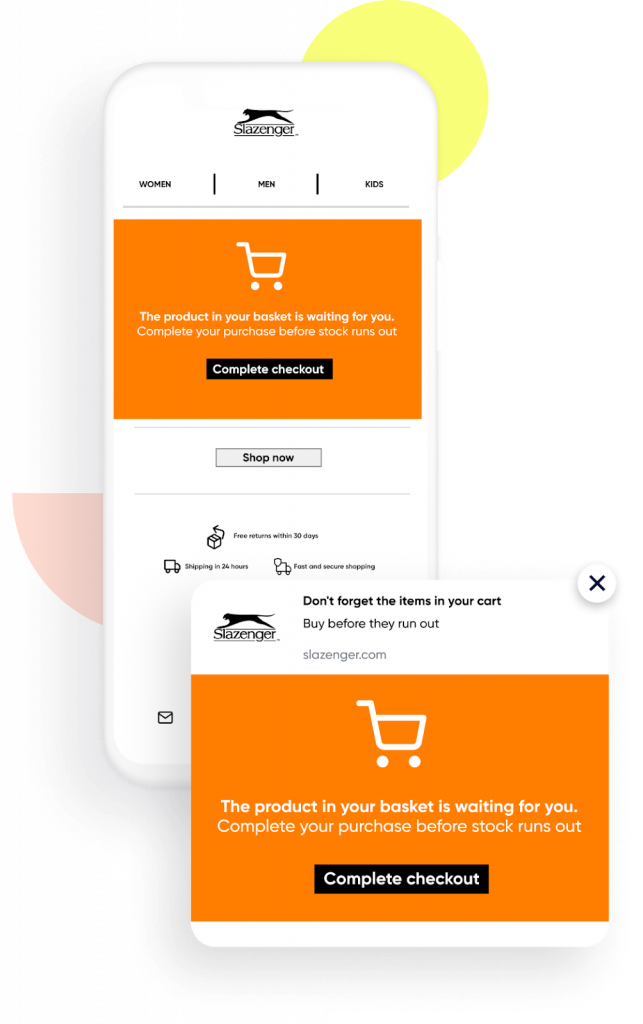
Cart abandonment is the most common behavioral email, with an average abandonment rate of 70.22% across industries, but most implementations lack necessary guardrails. Klaviyo’s abandoned cart benchmarks show that a standardized cadence works best:
- Initial email: Reminder with restore-cart link, no discount
- Follow-up email: Social proof or urgency, no discount
- Final email: Discount only if user hasn’t converted and isn’t a repeat abandoner
Do remember to include exit checks. If the user purchases at any point, suppress all remaining emails. Also to include re-entry caps so a user receives this sequence a limited number of times within a defined period. Be mindful of offering an exclusive discount in the first cart abandonment email, as it may train users to delay checkouts for more discounts.
Purchase and post-purchase triggers
Post-purchase emails should vary based on the product type and average order value (AOV). A consumable item warrants a replenishment reminder timed to the usage cycle. A high-AOV item warrants an accessory upsell after a short delay.
| Product type | Email type | Timing |
| Consumable | Replenishment reminder | Shortly before the expected replenishment point |
| High-AOV durable | Accessory upsell | After delivery, once the customer has time to use the product |
| Low-AOV repeat | Review request | Shortly after delivery |
Engagement and inactivity triggers
Engagement decay triggers require a scoring model to function correctly. Calculate an engagement score by weighting opens, clicks, and purchases over a recent period.
Define specific bands for your audience:
- Active: Normal send frequency
- At-risk: Re-engagement sequence
- Lapsed: Win-back sequence, then suppress if no response
Continuing to email lapsed users without a win-back gate damages your sender reputation.
Product guidance and lifecycle milestones
App or software products can map behavioral emails directly to a usage maturity model:
- Activation: Triggered when a user completes setup but ignores a core feature for a period of time
- Adoption: Triggered when a user uses Feature A but ignores Feature B
- Expansion: Triggered when usage approaches plan limits
Core product events include signup, first login, feature usage, and plan limit warnings. Triggering on signup alone ignores whether the user actually activated their account.
How behavioral email marketing works?
Most teams understand the concept but struggle to implement it reliably. A functional program requires trigger design, event normalization, branching logic, and frequency caps.
Trigger design framework
Every trigger needs distinct components:
- Eligibility: What action qualifies the user? What is the recency window? What are the exclusions?
- Timing: How long after the action does the email fire? What are the delays between sequence emails?
- Suppression: What events cancel the sequence entirely?
| Trigger | Eligibility | Timing | Suppression |
| Cart abandonment | Added to cart, no purchase shortly after, not in win-back sequence | First email shortly after, follow-ups spaced out | Purchase, unsubscribe, checkout started |
If suppression on the “checkout started” event was not set, the cart emails can be sent to users who are actively mid-checkout, which becomes a spamming message.
Event normalization and identity resolution
Behavioral emails depend entirely on clean and consistent events. If your add-to-cart event has different property names across your website and mobile app, your triggers will misfire.
Follow this normalization checklist:
- Standardize event names across all platforms
- Include required properties like user ID, timestamp, product ID, and price
- Deduplicate events within a short window to prevent multiple triggers from a single click
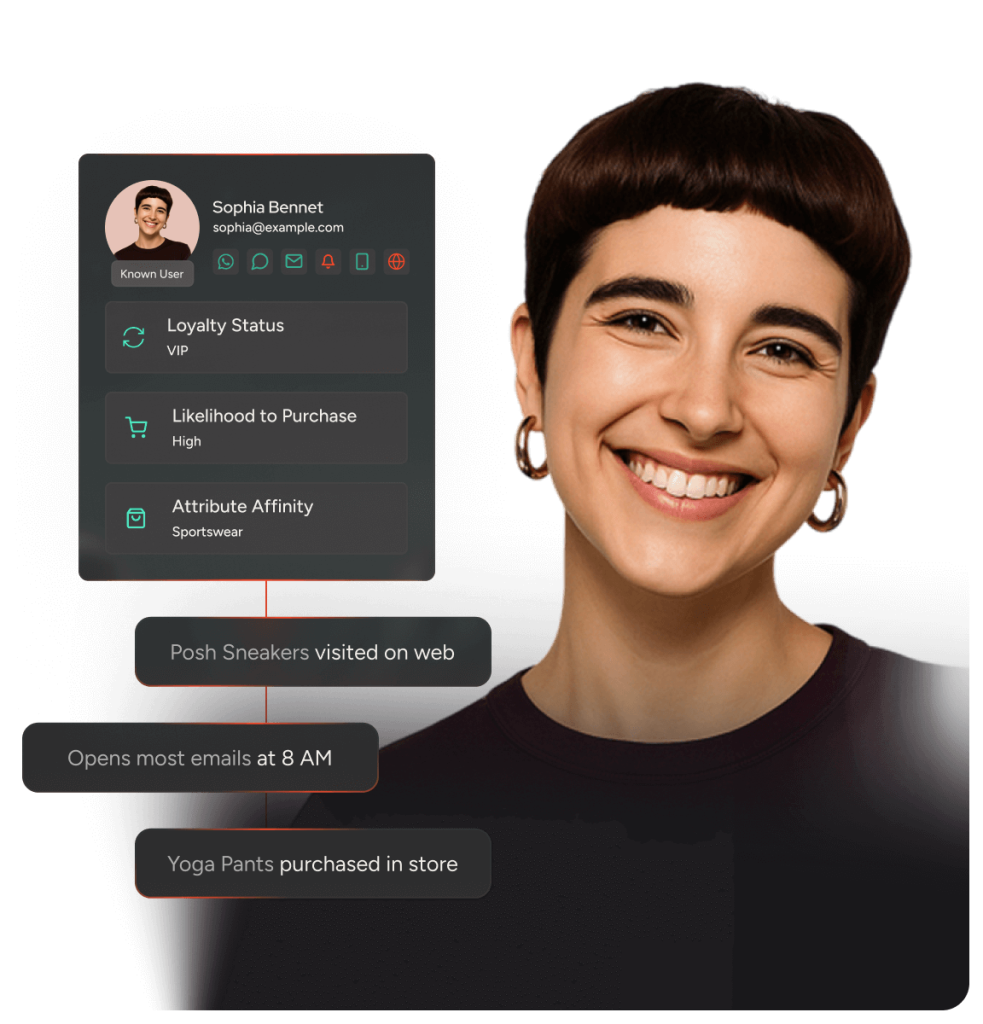
Identity resolution is equally critical. When an anonymous user logs in, you must merge their anonymous events with their known profile. If your customer data platform(CDP), lacks identity resolution, cart emails can reach users who have already purchased.
Branching logic and conflict resolution
When multiple triggers fire simultaneously, you need a priority hierarchy. A user who abandons a cart and qualifies for a win-back sequence shouldn’t receive both emails in a short frame of time. Below are some priority ladder examples:
- Suppress all marketing triggers if the user is already in a transactional sequence
- Suppress lower-priority triggers for the user in a high-priority marketing sequence like cart abandonment
- If no active sequence exists, evaluate triggers in priority order: cart, browse, win-back, newsletter
Without a priority ladder, users may receive multiple emails on the same day from different campaigns or journeys, which will create a spamming effect and impact the engagement performance.
Send-time optimization and frequency caps
Send-time optimization works best when calculated per user based on historical open data. When data is insufficient, default to business-hours send times for business audiences and evening send times for consumer audiences.
Implement strict frequency caps by trigger type:
- Cart abandonment: Limit emails per sequence and limit how often a user can re-enter the sequence within a defined period
- Browse abandonment: Limit emails per sequence and limit how often a user can re-enter the sequence within a defined period
- Win-back: Limit emails per sequence and limit how often users can re-enter the sequence within a longer defined period
- Global cap: Limit behavioral emails per user within a defined period
Measurement and experimentation
If you measure cart abandonment emails by revenue attributed to clicks, you may attribute revenue that would have happened anyway. Here is a measurement playbook that focuses on true incrementality.
Key performance indicators (KPIs) by trigger and attribution windows.
| Trigger | Primary KPI | Attribution window |
| Cart abandonment | Recovery rate, revenue per recipient | Short post-send window |
| Browse abandonment | Click-through rate, add-to-cart rate | Short-to-medium window |
| Post-purchase | Cross-sell conversion, repeat purchase rate | Medium window |
| Win-back | Reactivation rate, revenue from reactivated | Medium window |
Holdouts and incrementality
To measure true incremental impact, assign a control group by holding out a percentage of eligible users from the trigger. Define a small holdout percentage for high-volume triggers.
Randomly assign users to the holdout or treatment group the moment they become eligible. Track conversion and revenue for both groups over the attribution window.
Calculate your lift by subtracting the holdout conversion rate from the treatment conversion rate, then dividing by the holdout conversion rate. If you want to see how teams run holdouts and read lift inside the workflow, not in a spreadsheet weeks later, start in the product demo hub.
How can Insider One help?
Executing a sophisticated behavioral email strategy requires tight integration between your data layer and your execution channels.
Insider One’s actionable CDP unifies events from web, app, and offline channels with low latency. Identity resolution merges anonymous and known profiles automatically, ensuring cart abandonment emails reach the right user even if they logged in after adding items to their cart.
Insider One’s customer journey orchestration solution provides one canvas for designing behavioral triggers with eligibility rules and branching conditions.
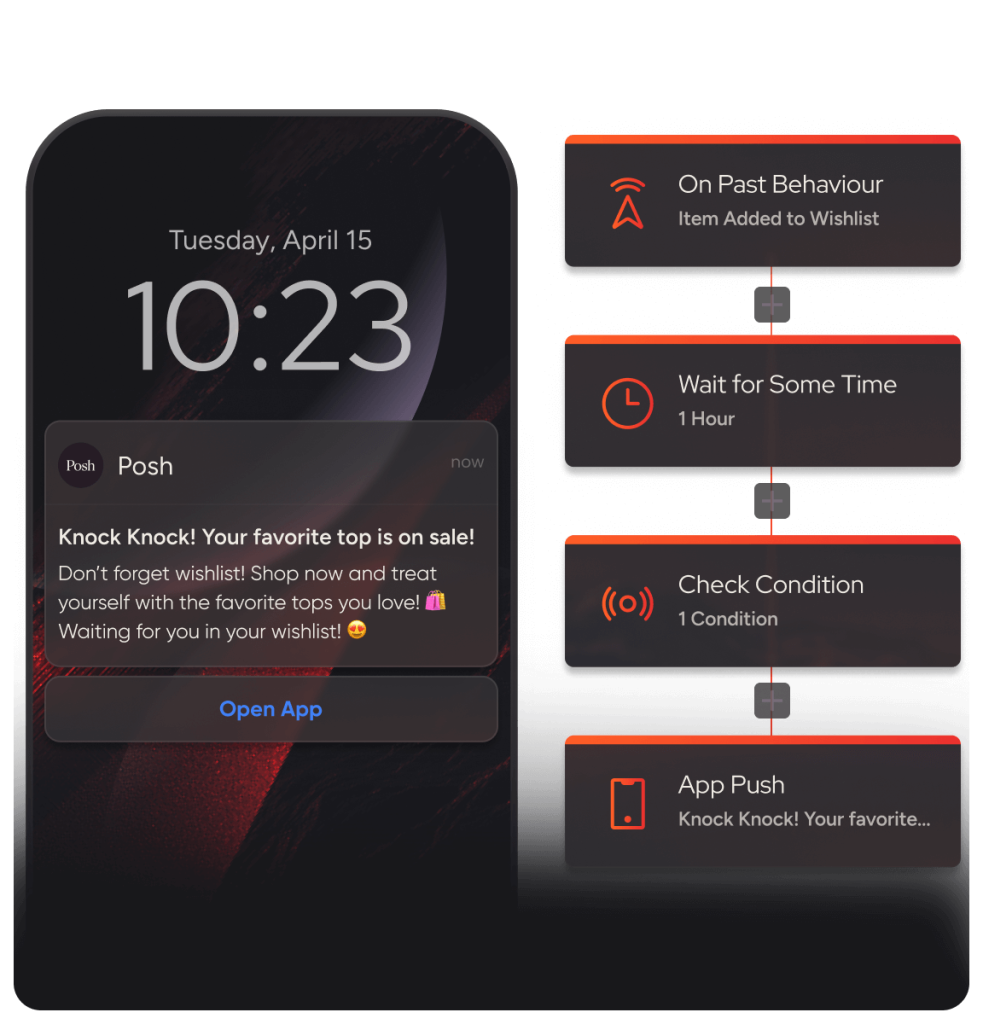
Auto-Winner Selection, powered by Insider One AI™, Insider One’s extensive set of artificial intelligence (AI) capabilities, optimizes sequences automatically to remove manual experiment review.
Behavioral Analytics surfaces funnel performance, cohort retention, and flow analysis in a single view. Teams can measure true incremental impact directly within the platform without exporting data to a separate business intelligence tool.
If you’re serious about scaling behavioral email without collisions, gaps in coverage, or double-counted revenue, book a demo and we’ll walk through a real trigger architecture for your use case.
Frequently asked questions
Check event ingestion first to verify the event reached your platform with the expected properties. Then check eligibility rules to see if a filter excluded the user. Finally, review suppression rules to confirm the user isn’t in another sequence that suppresses this trigger.
You can only email anonymous users if you capture an identifier before they leave the site, such as through an exit-intent prompt. Do not purchase third-party cookie-to-email data. This violates consent requirements in most jurisdictions and damages your sender reputation.
Interpreted states are more reliable than raw events. Derive a cart-abandoned state by checking that an add-to-cart event occurred, a remove-from-cart event didn’t occur for all items, and an order-completed event didn’t occur within the recency window.
Set a global cap that limits behavioral emails per user within a defined period. For cart abandonment, limit the number of emails per sequence and how often users can re-enter within a defined period. For win-back, limit how often users can re-enter within a longer defined period.

Keep Reading
4 min.

Chris Baldwin
3 Feb 2026
9 min.
Chris Baldwin
2 Nov 2026
9 min.
Chris Baldwin
2 Nov 2026