

 Platform Overview

 Integration Hub

 Sirius AI™

 Customer Data Management

 Personalization

 Journey Orchestration

 Reporting & Data

 Behavioral Analytics

 Web
Web

 Email
Email

 Site Search

 Conversational CX

 WhatsApp

 Web Push

 InStory

 App
App

 SMS & RCS

 Join the $0 Migration Movement™

 The Insider One Difference

 Compare Vendors

 Switch to Insider One

 Success Story

 Retail & Ecommerce

 Financial Services

 Travel & Hospitality

 Beauty & Cosmetics

 Automotive

 Telecommunications

 Interactive Platform Tour

 Blog
Blog

 E-Books & Guides

 Glossary
MCP Server: Conversational Analytics
Drive smart, secure, and scalable AI interactions with Insider One MCP Server, connecting Agentic AI systems for advanced conversational analytics.

Updated on 23 Dec 2025
9 min
Table of Contents
- Introducing Insider One MCP Server: Conversational Analytics with Built-In Guardrails
- What is an MCP Server (Model Context Protocol Server)?
- How does Insider One MCP Server work?
- Which Agentic or Generative AI systems can connect to Insider One MCP Server?
- What you can do with Insider One MCP Server
- Getting started with Insider One MCP Server
Most Popular



Introducing Insider One MCP Server: Conversational Analytics with Built-In Guardrails
As AI continues to transform the operations and workflows of marketing and customer engagement teams around the world, one of the biggest shifts is in data access.
Teams are tired of navigating dashboards, stitching together reports, or translating metrics into meaning. Teams need simpler, more direct ways to get answers to their questions; they want to ask real business questions in plain language and get immediate, clear answers, powered by live data, not static snapshots.
Today, we are excited to introduce Insider One MCP Server, which unlocks a more natural, conversational way for marketers to explore performance across channels, while maintaining the governance and accuracy required in enterprise environments.
What is an MCP Server (Model Context Protocol Server)?
Model Context Protocol (MCP) is an open standard that defines how AI systems connect to external platforms to retrieve context such as metrics, summaries, and structured analytics data.
Instead of giving AI tools broad system access or relying on custom, loosely defined APIs, MCP establishes a consistent interaction model:
- AI systems request specific well-defined context
- Platforms return structured, machine-readable responses
- Permissions and access scopes are enforced by default
This approach makes AI-driven interactions more predictable and reliable. AI systems work with structured analytics context rather than trying to interpret interfaces or unstructured data.
MCP is also intentionally non-invasive. It focuses on access to insight, not execution. AI systems can understand what is happening, but they cannot take actions or make changes.
How does Insider One MCP Server work?
Insider One MCP Server acts as a secure analytics interface for AI systems. When an AI system connects via MCP, it interacts with raw analytics data, calls a curated set of read-only analytics functions designed to answer all performance questions, and offers insights.
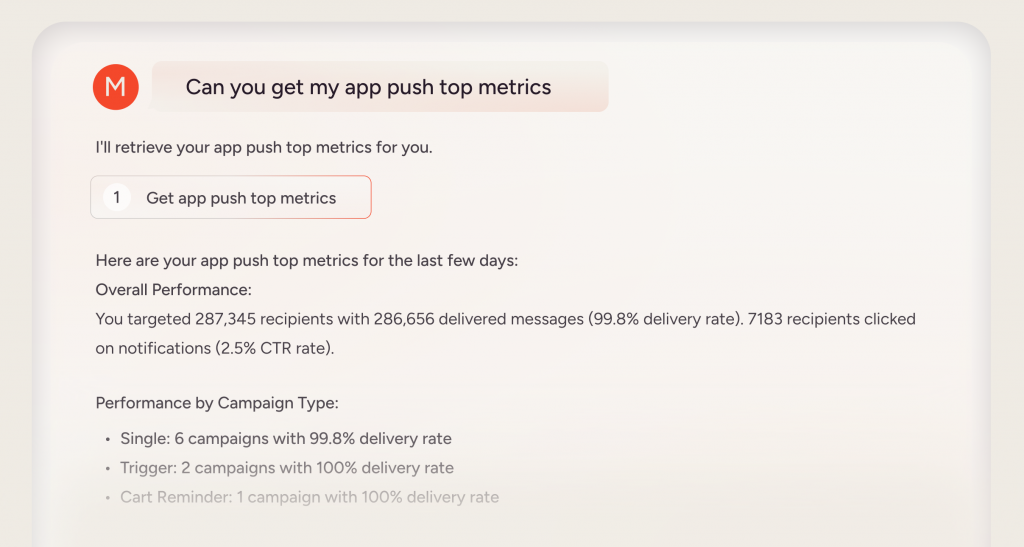
A typical flow looks like this:
- An AI system submits a question in natural language. For example: “How did email and SMS campaigns perform last week?”
- Insider One maps the request to predefined analytics functions: These functions cover campaign summaries, channel metrics, and performance trends.
- Governance is applied automatically: Existing roles, permissions, and access controls remain fully in effect.
- Structured results are returned: The AI system receives accurate, machine-readable insights grounded in real Insider One analytics.
Insider One MCP Server is purpose-built for analytics and insight discovery, which allows teams to:
- Quickly understand performance across channels
- Reduce reliance on dashboards and exports
- Remove developer dependencies for raw data exports
By exposing a carefully scoped set of analytics functions, Insider One ensures that responses are reliable, interpretable, and aligned with how performance is measured across the platform. MCP does not allow campaigns to be launched, configurations to be changed, or customer data to be modified, allowing marketers to retrieve relevant insights while maintaining appropriate safeguards.
Which Agentic or Generative AI systems can connect to Insider One MCP Server?
Insider One MCP Server is AI-client agnostic. Any AI system that supports the MCP standard can connect to Insider One and request analytics context, including ChatGPT, Claude, Cursor, VS Code, and more.
This includes:
- AI assistants and copilots used for analysis, planning, or reporting
- Custom AI agents built by engineering or data teams
- AI workspaces used for experimentation and prototyping
Because MCP access is read-only and governed, these systems can safely query analytics without impacting live campaigns or configurations. If an AI system supports MCP, it can integrate with Insider One.
What you can do with Insider One MCP Server
Once MCP is enabled, teams can use natural language to explore analytics across Insider One. Common use cases include:
- Identifying top-performing campaigns
- Comparing channel engagement over time
- Reviewing performance trends across periods
- Creating your own reporting dashboards
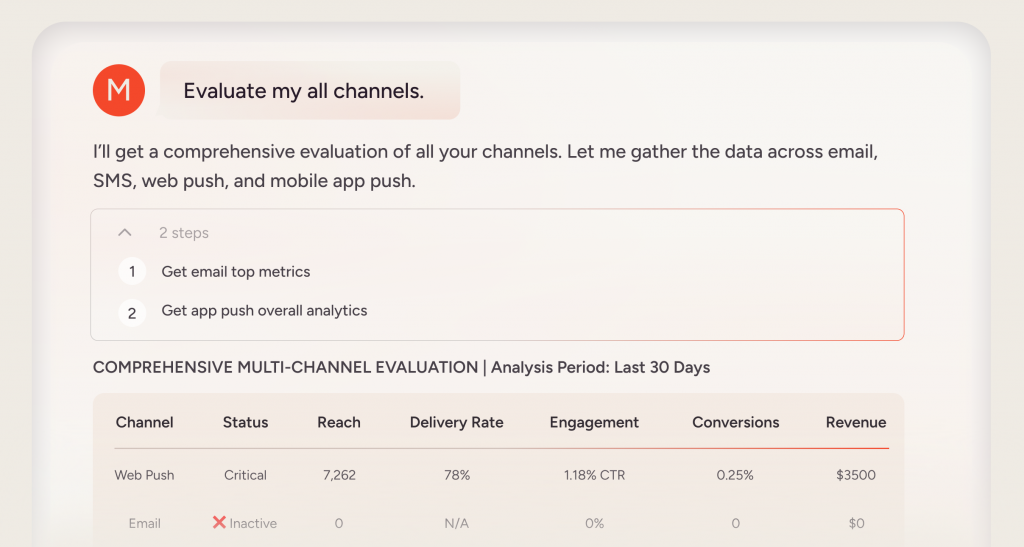
MCP translates these questions into structured analytics queries and returns results that are easy to interpret and act on.
This makes Insider One MCP Server especially useful for marketers, product teams, and leaders who want faster access to performance insights without adding complexity to their workflows.
Getting started with Insider One MCP Server
Getting started with MCP in Insider One is straightforward:
- Configure MCP access using your Insider One credentials
- Register Insider One as an MCP server in your AI system
- Begin querying analytics using natural language
Once connected, MCP becomes another way to interact with Insider One analytics, without introducing new tools or workflows.
👉Interested to learn more? Explore Insider One Model Context Protocol Server documentation in the Academy.

Keep Reading
4 min.

Chris Baldwin
3 Feb 2026
10 min.

Muharrem
11 Oct 2024
10 min.
Chris Baldwin
3 Oct 2024