

 Platform Overview

 Integration Hub

 Agent One™

 Agent One™ Teams

 Customer Data Management

 Personalization

 Journey Orchestration

 Reporting & Data

 Behavioral Analytics

 Web
Web

 Email
Email

 Site Search

 Conversational CX

 WhatsApp

 Web Push

 InStory

 App
App

 SMS & RCS

 Join the $0 Migration Movement™

 The Insider One Difference

 Compare Vendors

 Switch to Insider One

 Success Story

 Retail & Ecommerce

 Financial Services

 Travel & Hospitality

 Beauty & Cosmetics

 Automotive

 Telecommunications

 Total Economic Impact™ Study

 Blog
Blog

 E-Books & Guides

 Events

 Glossary
Enterprise Email Marketing for Scalable Campaigns

Updated on 20 Jul 2026
14 min.
Table of Contents
- Summary
- What Qualifies as an Enterprise Email Marketing Platform?
- How to Evaluate Enterprise Email Marketing Platforms
- How Enterprise Deliverability Operations Work
- How Enterprise Email Marketing Platform Pricing Works
- Which Platform Fits Your Use Case?
- How Insider One Supports Enterprise Email Marketing
- FAQs
Most Popular
Summary
Platform choice should be evaluated on deliverability infrastructure, governance controls, integration depth, and cross-channel orchestration, not feature checklists or logo size.
Enterprise email marketing platforms are built for teams managing very large volumes of messages each month who need governance, compliance, and cross-channel orchestration that mid-market tools cannot deliver. The right platform choice depends on your data architecture, whether email stands alone or fits into a broader engagement strategy, and your team’s ability to prove inbox placement before scaling volume.
This guide walks you through what qualifies as enterprise-grade, how to evaluate platforms against your actual operations, and how to avoid the deliverability collapse that happens when teams migrate without proper warmup protocols. You will learn the integration patterns that support real personalization, the security controls that pass legal review, and the pricing variables that can significantly increase your effective cost if you do not negotiate correctly.
What Qualifies as an Enterprise Email Marketing Platform?
If your team is debating whether you need an enterprise platform, you probably do. Volume alone does not make the distinction. What separates enterprise from mid-market is the operational infrastructure required to manage risk, compliance, and complexity at scale.
Threshold Criteria
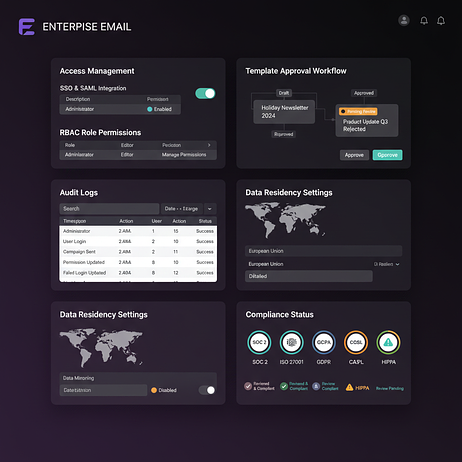
- Governance controls: Single sign-on (SSO) and SAML for secure access, role-based access control (RBAC) with custom roles, audit logs, campaign approval workflows, and template versioning
- Compliance infrastructure: SOC 2 and ISO 27001 certifications, data residency options, and Data Processing Agreement (DPA) support — with GDPR, CCPA, CASL, and HIPAA coverage where applicable
- Deliverability tooling: Dedicated IP address pools, automated warmup orchestration, feedback loop (FBL) integration, and real-time inbox placement monitoring across Gmail, Microsoft, and regional providers
- Integration depth: Native connectors to your customer relationship management (CRM) system, customer data platform (CDP), and data warehouse, plus support for reverse extract, transform, load (ETL) or event streaming
- Cross-channel orchestration: Unified journey builder spanning email, SMS, WhatsApp, push, web, and emerging channels such as RCS and TikTok — with native frequency capping across all channels
Platform categories break down simply. Enterprise email service providers (ESPs) focus on high-volume email delivery. Marketing automation platforms add lead scoring and CRM and CRM sync for B2B teams. Customer engagement platforms unify email with mobile, web, and social. Email APIs serve developers building transactional flows. The strongest enterprise platforms combine all four in one stack.
| Important: ‘Enterprise’ does not mean higher pricing or bigger logos. Platforms lacking governance and compliance controls are mid-market tools with enterprise price tags. |
How to Evaluate Enterprise Email Marketing Platforms
Most teams compare feature lists, sign a contract, then discover months later that the platform cannot support their data model or compliance requirements. The demo phase is your only chance to stress-test the system against your actual operations.
| Capability | What to Validate | Demo Question | Red Flag |
| Deliverability | Dedicated IPs, warmup automation, FBL integration, inbox monitoring | Show me your IP warmup dashboard and complaint rate monitoring. | No dedicated IP option; no inbox placement data |
| Segmentation | Nested logic, behavioral events, real-time triggers, predictive audiences | Build a segment of users who viewed product X repeatedly but did not purchase recently. | Segment refresh latency over 5 minutes; no behavioral triggers |
| Automation | Multi-channel branching, frequency caps, dynamic wait, exit criteria | How do you prevent a user from receiving more than N messages within a defined window across all channels? | No native cross-channel frequency capping |
| Integration | Native CRM/CDP connectors, webhook support, event streaming, rate limits | What is the latency from event ingestion to segment availability? | No published API rate limits or SLAs |
| Analytics | Revenue attribution, holdout testing, incrementality, journey-level control groups | How do you measure incremental revenue from email vs. baseline? | Attribution limited to last-click; no holdout testing |
| Governance | Approval workflows, template versioning, RBAC, audit logs | Show me how you prevent a regional team from sending an unapproved template. | No peer approval; no template versioning controls |
| The demo is the test. If the vendor cannot answer these questions live, that is a serious risk indicator for your requirements at scale. |
How Enterprise Deliverability Operations Work
Your team migrates to a new platform, launches at full volume immediately, and watches inbox placement crater. This happens constantly. It’s preventable.
IP Address Warmup
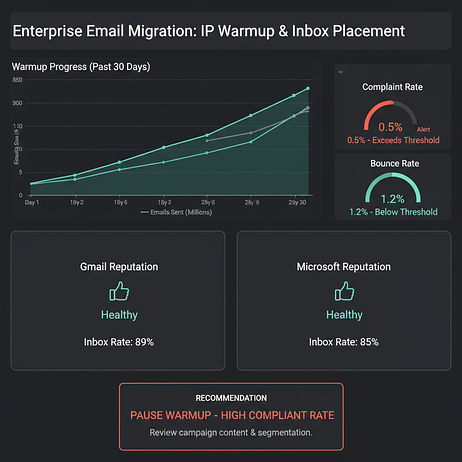
Start with your most engaged segment, users who opened or clicked recently. In the initial phase, send only to a small, highly engaged subset. Increase volume gradually, gated by complaint and bounce rates staying within safe thresholds. If either threshold is breached, hold volume before resuming.
Insider One’s Email Warm Up Orchestration (currently in pipeline) automates this process end to end, removing the risk of human error during migration.
Authentication and BIMI Setup
- SPF: Ensure sending IP addresses are included; use SPF flattening if you exceed DNS lookup limits
- DKIM: Configure a strong key; rotate selectors during migration
- DMARC: Start with p=none for monitoring, move to p=quarantine after clean data, then p=reject
- BIMI: Requires DMARC at p=quarantine or p=reject; prepare your SVG logo and Verified Mark Certificate (VMC)
Inbox Placement Monitoring
Use seed lists across major mailbox providers and relevant regional providers. Run seed tests before and after major sends. Check blocklists regularly. Monitor postmaster tools for reputation signals. If open rates drop suddenly but send volume and content have not changed, you have a placement problem, not an engagement problem.
Suppression and Sunset Policy
- Hard bounces: Suppress immediately and permanently
- Soft bounces: Suppress after repeated consecutive failures within a defined period
- Complaints: Suppress immediately — a single complaint is sufficient
- Inactivity: Sunset users who have not opened or clicked in an extended period; extend the window for low-frequency senders
Microsoft Outlook and Hotmail Deliverability
Microsoft domains consistently show higher spam filtering rates than Gmail and require a distinct remediation approach.
- Check Microsoft SNDS for IP reputation (green = good, yellow = monitor, red = problem)
- Enroll in JMRP (Junk Mail Reporting Program) to receive complaint data
- Review throttling codes in bounce logs
- If reputation is red, reduce volume to Microsoft domains substantially, send only to engaged users, and wait for recovery
Microsoft’s reputation system recovers slower than Gmail’s. Plan for a sustained period of reduced volume during remediation.
What Data Architecture Supports Enterprise Email Personalization?
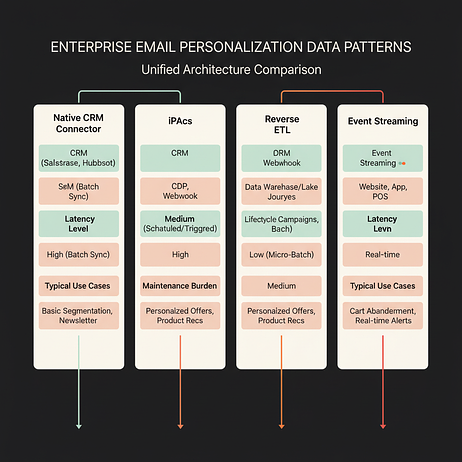
The right data architecture depends on your team’s technical capacity, latency requirements, and budget. Most teams overestimate their need for real-time streaming — if your cart abandonment email sends well after the triggering event, you do not need sub-second latency.
| Pattern | Latency | Maintenance | Best For |
| Native CRM Connector | Near real-time to batch | Low | Teams with CRM as source of truth; limited engineering resources |
| iPaaS | Near real-time | Medium | Teams needing custom logic between systems |
| Reverse ETL | Batch | Medium | Teams with warehouse as source of truth; analytics-driven segmentation |
| Event Streaming | Real-time | High | Cart abandonment, browse abandonment, transactional triggers |
Identity Resolution
Identity resolution is a prerequisite for personalization. Deterministic matching (email, phone, user ID) is reliable but requires login. Probabilistic matching (device fingerprinting, behavioral signals) extends reach but introduces merge errors.
Insider One’s native CDP supports deterministic matching with configurable merge rules, and UCD-Powered Segments (now live) enable targeting audiences using data stored in Unified Customer Data — including offline event data for recommendation strategies.
Minimum Event Schema for Personalization
- Page view: URL, product ID (if applicable), timestamp
- Add to cart: product ID, quantity, price, timestamp
- Purchase: order ID, product IDs, total, timestamp
- Account created: user ID, email, timestamp
- Login: user ID, timestamp
If your current tracking does not capture these events, you will need to instrument them before migration. Insider One’s Web SDK Integration Wizard (in pipeline) and upgraded Testlab Tools will guide and validate each step.
Security, Compliance, and Governance Requirements
Security and legal review will add significant time to your procurement timeline if you are not prepared. Request compliance artifacts early in the vendor evaluation process.
| Regulation | Key Requirements | Vendor Artifacts to Request |
| GDPR | Consent logs, lawful basis tracking, data subject request handling, DPA | DPA, data processing records, subprocessor list |
| CCPA | Opt-out mechanism, data deletion capability, disclosure of data sales | Privacy policy, data inventory, deletion SLA |
| CASL | Express consent tracking, unsubscribe within required timeframes | Consent audit logs, unsubscribe compliance report |
| HIPAA | BAA, access controls, audit logs, encryption at rest | BAA, SOC compliance report, penetration test results |
| HIPAA compliance is rare among email marketing platforms. If you are in healthcare, confirm BAA availability before shortlisting any vendor. |
Security Controls Checklist
- Access control: SSO/SAML, MFA enforcement, RBAC with custom roles
- Encryption: TLS in transit, strong encryption at rest
- Audit logging: User action logs with long-term retention, exportable
- Penetration testing: Regular third-party pen testing with remediation evidence
- Certifications: SOC 2 (required), ISO 27001 (preferred)
- Domain controls: Domain allowlisting for web and mobile campaigns to prevent malicious source injection
Note: Some platforms reserve security features for higher pricing tiers. Confirm which controls are included in your quoted tier before signing.
Multi-Brand and Multi-Region Governance
Two governance models are common. Centralized: a central team controls templates, segments, and campaigns while regional teams request sends. Federated: regional teams have autonomy within guardrails — approved templates, locked brand elements, frequency caps.
Insider One’s Campaign Approval Workflows (in beta for email, in pipeline for WhatsApp and web) and Campaign Version History 2.0 (live) provide the audit trail and accountability required for both models. Template versioning ensures that regional teams cannot deploy unapproved content.
How Enterprise Email Marketing Platform Pricing Works
The quoted price is rarely the final price. Enterprise email contracts include variables that can significantly increase your effective cost.
- Per-contact: You pay for every contact in your database, whether you email them or not
- Per-email: You pay for each email sent; predictable for promotional senders, expensive for transactional
- Monthly Tracked Users (MTU): You pay for users who trigger any event, not just email recipients
Hidden Costs to Negotiate
- Overage rates: Some vendors charge significantly higher per-unit rates for volume overages
- Dedicated IP add-on: Often a recurring fee per IP, not included in base pricing
- Implementation and onboarding: Can vary widely by vendor and migration complexity
- Premium support: Around-the-clock support or a dedicated CSM typically requires an additional fee
- Data and storage fees: Watch for platforms that charge per data event, per GB stored, or per API call
- Multi-year discount: Most vendors offer meaningful discounts for multi-year commitments
| Negotiation tip: If your contact list includes significant inactive users, per-contact pricing will penalize you. Negotiate for ‘marketable contacts’ or ‘active profiles’ rather than total database size. Confirm the exact metering definition and billing window before signing. |
Which Enterprise Email Marketing Platforms Should You Evaluate?
The platforms below meet governance, compliance, and integration thresholds. The right choice depends on your use case, technical stack, and compliance requirements.
| Platform Type | Strengths | Considerations | Best Fit |
| CRM-led marketing automation | Tight bi-directional CRM sync, intuitive workflow builder, lead scoring | Segmentation flexibility, pricing at scale, governance depth | B2B sales-led teams using the same CRM as source of truth |
| Enterprise suite with CRM ecosystem | Broad governance features, ecosystem integration, data unification | Implementation effort, pricing transparency, migration complexity | Large organizations deeply invested in that vendor’s ecosystem |
| B2B lifecycle automation | ABM support, advanced lead routing, complex nurture flows | Reporting depth, interface usability, real-time capability | Complex B2B sales cycles with multi-stakeholder journeys |
| Real-time cross-channel engagement | Real-time event triggers, API-led orchestration, mobile-first | Profile unification approach, pricing predictability (MTU model) | Consumer brands with mobile apps and data engineering resources |
| SMB-to-enterprise automation | Accessible workflow builder, built-in CRM, fast onboarding | Governance controls, compliance depth at enterprise scale | Smaller teams scaling toward enterprise requirements |
| Multichannel messaging (cost-efficient) | Email, SMS, WhatsApp, chat in one platform, cost efficiency | Segmentation and automation depth, analytics maturity | Teams prioritizing channel breadth and cost efficiency |
| Ecommerce-focused lifecycle | Native Shopify/WooCommerce integrations, standard ecom flows | Broader use case coverage, governance controls | Ecommerce teams wanting standard cart and product rec flows |
| Insider One | Real-time CDP + journey orchestration + email in one platform; widest channel set; AI-native; no hidden data charges | Evaluate against your specific stack and compliance needs via demo | Enterprise teams wanting a unified engagement platform with transparent MTU pricing |
Which Platform Fits Your Use Case?
B2B Sales-Led Teams
Requirements: bi-directional CRM sync, lead scoring, sales alerts, closed-loop reporting. A CRM-led automation platform fits if you already use that CRM as your source of truth. A complex B2B lifecycle platform fits if you need advanced lead routing. A broad enterprise suite fits if you are deeply invested in that ecosystem.
| Important: If your sales team does not use CRM consistently, no platform will deliver closed-loop reporting. Data discipline must precede platform selection. |
Ecommerce Growth Teams
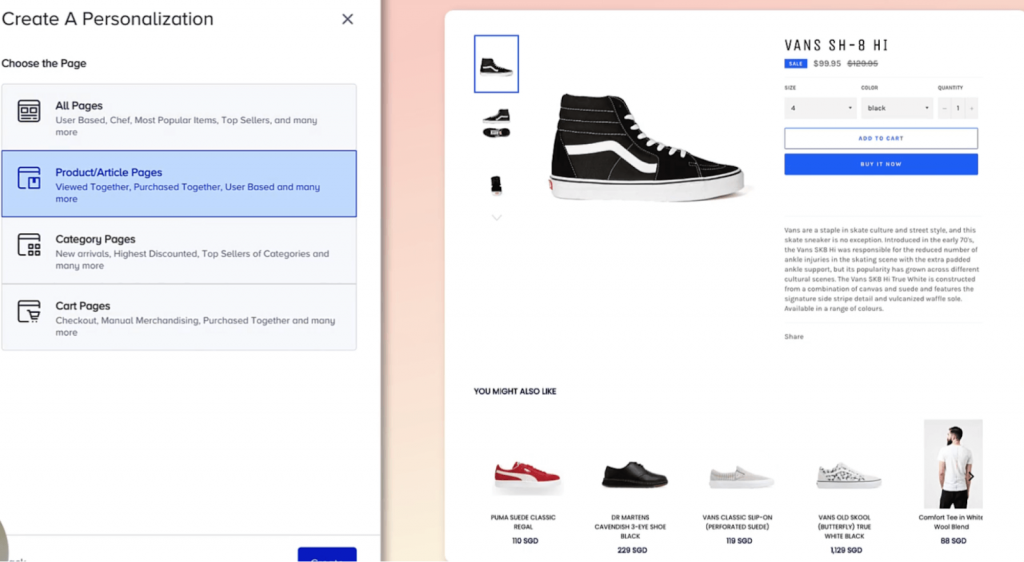
Requirements: catalog sync, browse, cart, and purchase event triggers, product recommendations,revenue attribution. An ecommerce-focused platform fits Shopify and WooCommerce teams that want standard flows. A real-time cross-channel platform fits teams with mobile apps and data engineering resources. Insider One’s Smart Recommender (with Recos with Offline Events now live and Reusable Recos Strategies for App in pipeline) enables catalog-driven personalization at scale across web, email, and app.
If your catalog is small, advanced recommendation algorithms will not add meaningful lift. Start with behavioral triggers and grow into AI-driven personalization.
Regulated Industries
Requirements: HIPAA, SOC 2, ISO 27001 compliance, audit logs, data residency options, approval workflows. An enterprise suite with mature governance fits regulated teams. Confirm BAA availability before shortlisting for healthcare. Insider One holds SOC 2 and ISO 27001 certifications and is GDPR-ready with full SSO/SAML, RBAC, and audit logging. It also provides a BAA upon request to define responsibilities, safeguards, and procedures for handling PHI.
Developer-First and API-Led Programs
Requirements: high API rate limits, webhook support, transactional and marketing email from a single platform. A real-time cross-channel platform fits API-led orchestration. Insider One’s Insider MCP Server (live) and Template Creation API (in pipeline) enable fully programmatic campaign and template management without requiring panel access — a significant advantage for teams building automated messaging pipelines.
| If you send transactional email through the same platform as marketing email, confirm that separate IP address pools exist to protect transactional deliverability. |
Consumer Brands with Omnichannel Programs
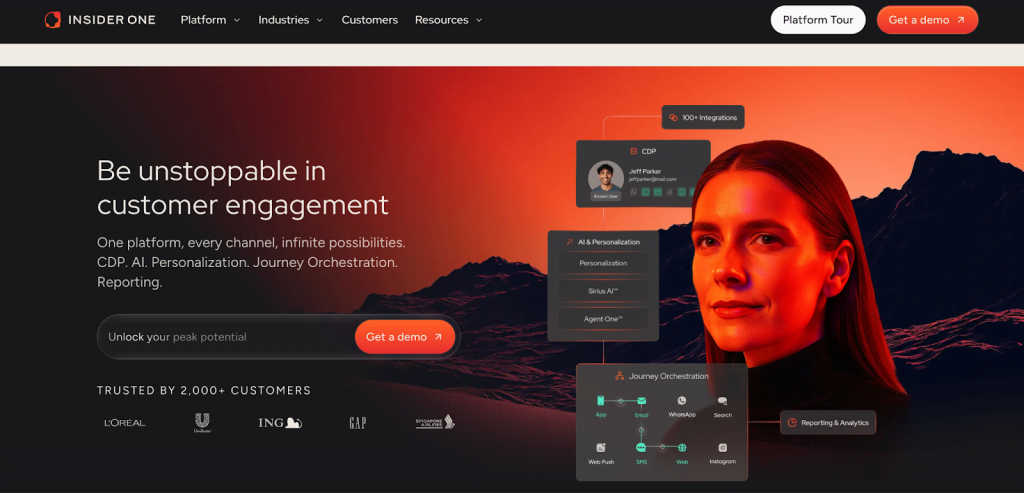
Requirements: unified customer profile, cross-channel journey orchestration, real-time behavioral triggers, frequency capping across all channels. Insider One’s Architect journey builder unifies email, SMS, WhatsApp, push, web, RCS (in pipeline), and TikTok (in pipeline) in a single canvas with native frequency capping. WhatsApp Carousel support (live) and 2-Way Conversational SMS with AI (live) enable engagement patterns that email-only platforms cannot support.
How Insider One Supports Enterprise Email Marketing
For teams evaluating enterprise email marketing platforms, Insider One addresses the core requirements while delivering capabilities that go beyond email into true cross-channel engagement.
Deliverability Infrastructure
- Dedicated IP address pools with automated warmup orchestration (Email Warm Up Orchestration in pipeline)
- Real-time inbox placement monitoring and complaint rate alerting
- Failed Messages Monitoring Dashboard (live) for proactive deliverability management
- Email warm-up automation that removes migration risk and replaces manual ramp-up processes
Email Capabilities
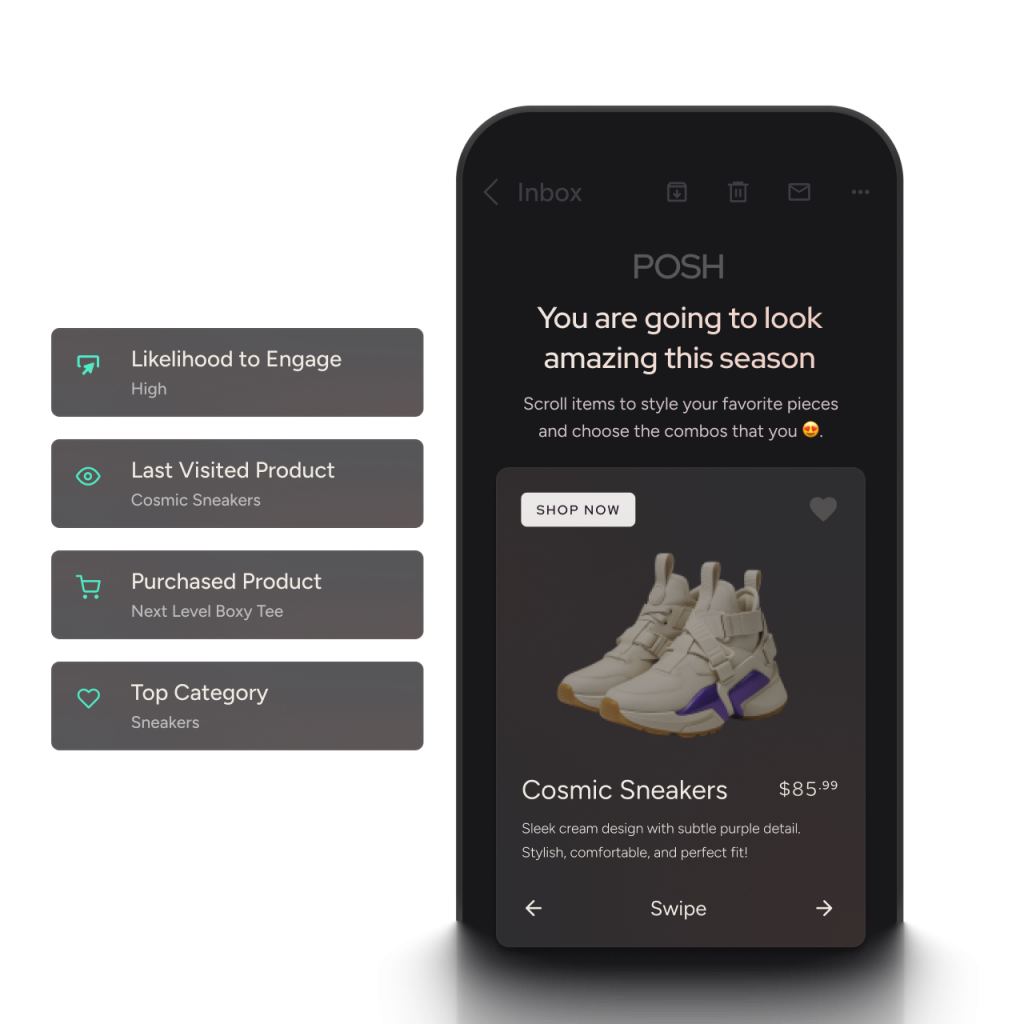
- AI-powered Email Template Generation (live) — create on-brand templates without design resources
- Brand New Stripo Drag and Drop Editor (in pipeline) — next-generation visual email builder
- Localization Support in Email and Crowdin Integration (both live) — manage multilingual campaigns at scale
- Liquid Personalization for dynamic content blocks (in pipeline)
- Send Email Based on User Time Zone (live) — maximize engagement across global audiences
- Email Campaign Approval Workflows (in beta) — governance for multi-team environments
- Transactional Email Journeys (in pipeline) — transactional and marketing email from one platform
- Enhance Email Recommendations (in pipeline) — AI-driven product recommendations within email content
Segmentation and AI
- Native CDP with real-time behavioral triggers, UCD-Powered Segments (live), and predictive audiences via Insider One AI
- AI Analytics Assistant (live), natural language queries against campaign performance data
- AI-Powered Topic Insights (in development), surface content themes driving engagement
- UCD-Driven AI Agent Personalization (in development), personalization that adapts to individual customer data in real time
- A/B Split Journey-Level Control Group (live), measure true incremental impact of each journey
Cross-Channel Orchestration
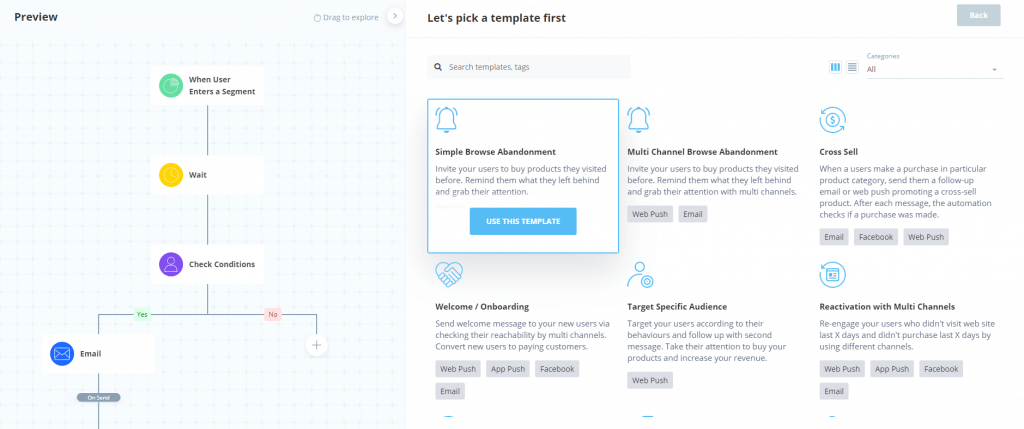
- Architect journey builder unifies email, SMS, WhatsApp, push, web in a single canvas with native frequency capping
- RCS in Architect (in pipeline) — next-generation rich messaging channel
- TikTok on Architect (in pipeline) — social channel integration for unified audience journeys
- WhatsApp Carousel for cart and browse abandonment journeys (live)
- 2-Way Conversational SMS with AI (live) — bidirectional SMS engagement at scale
- MMS support for USA, Canada, and Australia (live)
- WhatsApp Transactional Messaging (live) — extend journeys into transactional interactions
- Business Event Trigger and Low Inventory Alerts in Architect (both in pipeline) — trigger journeys from business operations data
Data and Integrations
- Native CDP with identity resolution, deterministic matching, and configurable merge rules
- Google BigQuery integration (in development), Salesforce Marketing Cloud connector (live)
- Warehouse-Native Composable CDP (in pipeline, bring your own warehouse as the data layer
- Insider MCP Server (live), programmatic access for AI-assisted campaign management
- Template Creation API (in pipeline), fully automated template and campaign management via API
- Scalable Custom Integrations (in development), enterprise-grade connectivity to custom systems
Governance and Compliance
- SOC 2 and ISO 27001 certified; GDPR-ready with DPA support
- SSO/SAML, RBAC with custom roles, and exportable audit logging
- Campaign Approval Workflows across email (beta), WhatsApp (pipeline), and web (pipeline)
- Campaign Version History 2.0 with full audit trail (live)
- Domain Allowlisting for Web and Mobile Products (live). prevent unauthorized domain usage in campaigns
- Data residency options for regional compliance requirements
Analytics and Reporting
- Overall Analytics V1 with PDF export, recurring reports, and drag-and-drop customization (live)
- Custom Goal Tracking and Settings (in pipeline) — define conversion goals based on unique business needs
- Consolidated Journey Analytics across versions (in pipeline) — understand cumulative journey impact
- AI Shopping Agent Analytics Dashboard (in development) — measure AI agent contribution to revenue
- Eureka Search Analytics 2.0 with deeper filters and product-level performance tables (live)
Migration and Onboarding
For teams migrating from legacy platforms, Migration Lab™ provides white-glove onboarding with predictable MTU-based pricing and no hidden charges for data, storage, or event volume. Insider One’s pricing model is designed to scale with engaged users, not penalize teams for maintaining large databases of inactive contacts.
| Ready to validate the platform against your own stack, data model, and deliverability requirements? Request a demo tailored to your use case. |
FAQs
Check Microsoft SNDS for IP address reputation, enroll in JMRP for complaint data, and review bounce logs for throttling codes. If reputation is red, reduce volume to Microsoft domains and send only to engaged users for a sustained recovery period. Microsoft’s reputation system recovers slower than Gmail’s.
Start with your most engaged segment and increase volume gradually, gated by complaint and bounce rates staying within safe thresholds. Insider One’s automated Email Warm Up Orchestration (in pipeline) manages this process automatically. Most enterprise senders reach full volume after a structured warmup period spanning several weeks.
Definitions vary significantly: some count any contact in your database, others count only contacts emailed in the billing period, and some count users who triggered any event. Insider One uses an MTU (Monthly Tracked User) model with no additional charges for data storage, event volume, or API calls. Clarify the exact definition and metering window with any vendor before signing.
Choose platforms with visual workflow builders, reusable content blocks, and marketer-accessible segmentation. Insider One’s AI Template Generation (live), Stripo Drag and Drop Editor (pipeline), and Insider One AI capabilities allow marketers to create, personalize, and launch campaigns without developer involvement. Governance guardrails ensure teams can operate independently within safe boundaries.
Yes. Transactional Journeys for Email and SMS are in pipeline, with WhatsApp Transactional Messaging already live. Insider One uses separate IP pools for transactional and marketing sends to protect transactional deliverability. This eliminates the need to manage separate platforms for operational and promotional messaging.
Localization Support in Email (live), Crowdin Integration (live), and 3rd-Party Localization Integrations allow marketing teams to manage multilingual campaigns at scale. Send Email Based on User Time Zone (live) and Send SMS Based on User Time Zone (in pipeline) ensure messages reach audiences at optimal local times. The federated governance model with campaign approval workflows supports regional autonomy within centrally managed guardrails.

Keep Reading
4 min.

Chris Baldwin
3 Feb 2026
7 min.
Chris Baldwin
23 Oct 2026
8 min.
Chris Baldwin
23 Oct 2026